1
HT440En.book
Page 3
Thursday, December 29, 2005
7:56 PM
TABLE OF CONTENTS
IMPORTANT SAFETY INSTRUCTIONS . . . . . . . 2
Getting
Started
Simple Setup
STEP 1
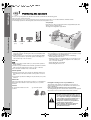
Positioning the speakers . . . . . . . . . 4
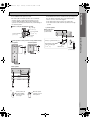
Speaker installation options . . . . . . . . . . . . . 5
Speaker connections . . . . . . . . . . . . . 6
STEP 6
Performing QUICK SETUP . . . . . . . 9
Control reference guide . . . . . . . . . . . . . . . . . . 9
STEP 3
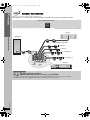
Audio and video connections. . . . . . 7
Disc caution . . . . . . . . . . . . . . . . . . . . . . . . . . . 10
Maintenance. . . . . . . . . . . . . . . . . . . . . . . . . . . 10
Basic audio connection. . . . . . . . . . . . . . . . . 7
Basic video connection. . . . . . . . . . . . . . . . . 7
Product Service . . . . . . . . . . . . . . . . . . . . . . . . 11
Radio and AC cord connections . . . 8
Glossary . . . . . . . . . . . . . . . . . . . . . . . . . . . . . . 11
Basic play. . . . . . . . . . . . . . . . . . . . . . . . . . . . . . 12
Playing
Discs
Preparing the remote control . . . . . 8
Discs that can be played. . . . . . . . . . . . . . . . . 10
STEP 2
STEP 4
STEP 5
Using the main unit. . . . . . . . . . . . . . . . . . . . . . . . . . . 12
Using the remote control . . . . . . . . . . . . . . . . . . . . . . 13
Convenient functions . . . . . . . . . . . . . . . . . . . . 14
Checking the disc type in each tray . . . . . . . . . . . . . . 14
Displaying current playback condition. . . . . . . . . . . . . 14
Playing CDs sequentially . . . . . . . . . . . . . . . . . . . . . . 14
Program and Random play. . . . . . . . . . . . . . . . . . . . . 15
Playing data discs using navigation menus . . . 16
Playing data discs . . . . . . . . . . . . . . . . . . . . . . . . . . .
Selecting a track using CD text . . . . . . . . . . . . . . . . .
Playing HighMATTM discs . . . . . . . . . . . . . . . . . . . . . .
Playing RAM discs . . . . . . . . . . . . . . . . . . . . . . . . . . .
16
16
17
17
Using on-screen menus . . . . . . . . . . . . . . . . . . 18
Main menu . . . . . . . . . . . . . . . . . . . . . . . . . . . . . . . . . 18
Other Settings . . . . . . . . . . . . . . . . . . . . . . . . . . . . . . 19
Changing the player settings . . . . . . . . . . . . . . 21
Changing the delay time of the speakers. . . . . . . . . . 23
Using the radio . . . . . . . . . . . . . . . . . . . . . . . . . 24
Using sound effects . . . . . . . . . . . . . . . . . . . . . 26
Changing the sound quality: Sound Field Control . . . 26
Enhancing the sound from the center speaker:
Center Focus . . . . . . . . . . . . . . . . . . . . . . . . . . . . . . 26
Enhancing the stereo sound: Dolby Pro Logic II . . . . 26
Adjusting the amount of bass: Subwoofer level . . . . . 26
Adjusting the volume of each speaker:
Speaker level adjustments. . . . . . . . . . . . . . . . . . . . 27
Reference
Operating other equipment . . . . . . . . . . . . . . . 28
Operating the television . . . . . . . . . . . . . . . . . . . . . . . 28
Using other useful functions . . . . . . . . . . . . . . 29
Setting the sleep timer . . . . . . . . . . . . . . . . . . . . . . . .
Muting the sound . . . . . . . . . . . . . . . . . . . . . . . . . . . .
Using headphones . . . . . . . . . . . . . . . . . . . . . . . . . . .
Using the Music Port . . . . . . . . . . . . . . . . . . . . . . . . .
29
29
29
29
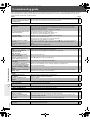
Troubleshooting guide . . . . . . . . . . . . . . . . . . . 30
Limited Warranty (ONLY FOR CANADA) . . . . 34
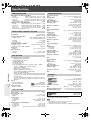
Specifications . . . . . . . . . . . . . . . . . . . . . . . . . . 32
Accessories . . . . . . . . . . . . . . . . . . . . Back cover
Limited Warranty (ONLY FOR U.S.A.) . . . . . . . 33
RQT8593
Other
Operations
Presetting stations automatically . . . . . . . . . . . . . . . . 24
Selecting the preset channels . . . . . . . . . . . . . . . . . . 24
Manual tuning . . . . . . . . . . . . . . . . . . . . . . . . . . . . . . . 24
Using an outdoor antenna (optional) . . . . . . . . . . . . . 25
3