1
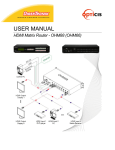
USER MANUAL
DVI MATRIX ROUTER - ODM88 (ODM44, ODM66)
Table of Contents
1
Introduction and Installation ................................................................................................................... 4
1.1
Key features: ................................................................................................................................. 4
1.2
ODM88 Shipping Content: ............................................................................................................ 4
1.3
Safety Instructions ......................................................................................................................... 5
1.4
Physical Description ...................................................................................................................... 5
1.4.1 Front Panel ................................................................................................................................ 5
1.4.2 Rear Panel ................................................................................................................................ 6
1.5
EDID Control and Configuration.................................................................................................... 7
1.6
Connecting Optical DVI cables and modules for extended distance ............................................ 8
1.7
Initializing ODM88 and Installation Guide ..................................................................................... 8
1.7.1 Initialization ................................................................................................................................ 8
1.7.2 Rack Mounting .......................................................................................................................... 9
1.7.3 Control Connection.................................................................................................................... 9
1.7.4 RS-232 Control.......................................................................................................................... 9
1.7.5 Ethernet Control ........................................................................................................................ 9
1.7.6 Direct connection of PC or video controller to the ODM88: Use a crossover Ethernet cable... 9
1.7.7 LAN connection of ODM88: Direct Ethernet connection. .......................................................... 9
2 Communications Setup .......................................................................................................................... 9
2.1
Setting the Router ID of ODM88 ................................................................................................... 9
2.2
Front Panel Interface ................................................................................................................... 10
2.3
CREATE Mode ............................................................................................................................ 10
2.4
PREVIEW Mode .......................................................................................................................... 10
2.5
CANCEL Mode ............................................................................................................................ 11
2.6
FUNCTION Mode ........................................................................................................................ 11
Press FUNCTION to view features – pressing FUNCTION repeatedly will cycle the following features:
............................................................................................................................................................. 11
2.6.1 MONITOR OUTPUT SELCTION – To verify the video source press FUNCTION key once. . 11
2.6.2 RS-232 BAUD RATE: press FUNCTION two times................................................................ 11
2.6.3 GATEWAY: press FUNCTION three times ............................................................................. 12
2.6.4 SUBNET MASK: press FUNCTION four times ....................................................................... 12
2.6.5 IP ADDRESS: press FUNCTION five times ............................................................................ 12
2.6.6 MAC ADDRESS: press FUNCTION six times ........................................................................ 13
2.6.7 PORT NUMBER: press FUNCTION seven times ................................................................... 13
2.6.8 EDID SAVE: press FUNCTION eight times ............................................................................ 14
2.6.9 FACTORY MODE: press FUNCTION nine times ................................................................... 14
2.7
Serial Communication ................................................................................................................. 14
2.7.1 HyperTerminal ......................................................................................................................... 14
2.7.2 Telnet ...................................................................................................................................... 17
2.7.3 LAUNCHING TELNET SESSION ........................................................................................... 17
2.8
Ethernet Control .......................................................................................................................... 18
2.8.1 SETTING THE IP ADDRESS of the PC.................................................................................. 18
2.9
USB CONTROL .......................................................................................................................... 20
3 Operation ............................................................................................................................................. 21
3.1
Front Panel Operation ................................................................................................................. 21
3.2
Command Line Operation ........................................................................................................... 23
3.2.1 Create: ..................................................................................................................................... 24
3.2.2 Preview: Shows all Input-Output configurations ..................................................................... 26
3.2.3 Cancel: Cancels configuration of outputs for each Input. ....................................................... 26
3.2.4 Upload Data Request: Uploads connection data to the controller. ......................................... 26
ODM88/66/44 Manual - Edition 6a
Page 2