1
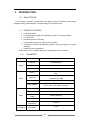
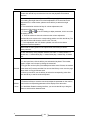
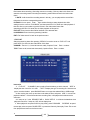
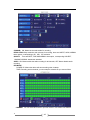
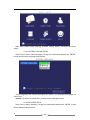
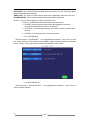
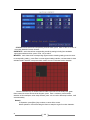
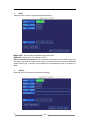
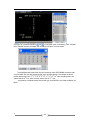
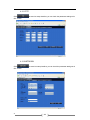
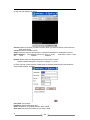
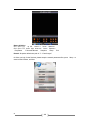
WEEKLY You can select all everyday, weekend, workday or each day(blue means has
selected)
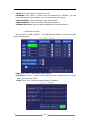
DAILY There are ALARM, NORMAL, NO REC three modes, if you select this, that means all
the day will record as this mode, and if you don’t want some period to record, you can cancel it
via Enter button, grounding means don’t record, different color means different record mode:
Red means alarm record, green means normal record, grounding means no record.
RECORD SIZE There are 15min, 30min, 45min, 60min four options, that means it will pack
as the mode you selected
Scroll to APPLY and press ENTER to save the new settings.
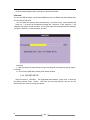
3.4.5 HDD MANAGE
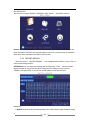
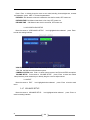
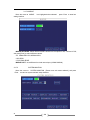
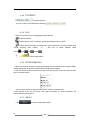
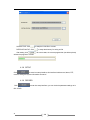
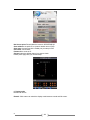
Move the cursor to HDD
Icon highlighted when selected ,press Enter to enter into the
setting interface, and you can use direction keys and cursor to change the options.
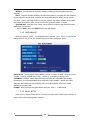
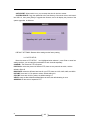
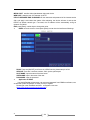
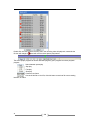
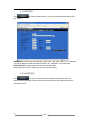
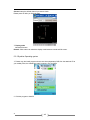
HDD STATUS There are three status available, normal, un-format, No HDD. If HDD can not run
normally including unformat and no HDD , there is a H display on video live view.
OVERWRITE ENABLE: means when HDD space less than 4G, it will delete HDD earliest
recording file, and it will stop deleting when the space is 10G; DISABLE means when HDD
space less than 500M it will stop recording, and an prompt will display in live view “please
shutdown and replace HDD”
FORMAT Move cursor there to select device and press APLLY to start format
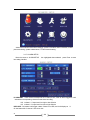
3.4.6 BASIC SETUP
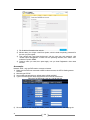
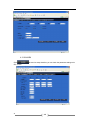
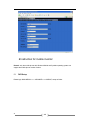
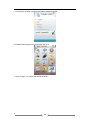
Move cursor to select “BASIC SETUP” (The big icon means select ok)and press ENTER to
enter into the system language setup interface.
18
418