1
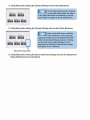
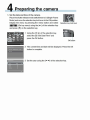
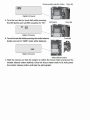
2 Using the [ • t ] of the selection key, se'lect the slot with the memory card
inserted (SD card or CF card) and press the OK button.
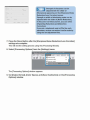
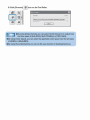
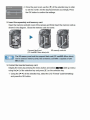
3 A message confirming formatting will be displayed. Press the OK button. Press
the cancel button in order to cancel formatting. Pressing the cancel button will
direct tlhe screen to step 2.
All images w ithin the memory card will be deleted when formatted.
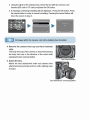
4. Remove the camera front cap and lens fronUrear
caps.
Tlhe body front cap of the camera is removed by turning
the body front cap in the direction of tlhe anow while
pressing the I.ens removal button.
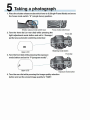
5. Attach the lens.
Match the lens attachment index and camera lens
attachmenVremovail index and turn until a clicking noise
is heard.
Lens attachment I removal guide line