1
EXIST ING SUPPORT DOCUM ENT S
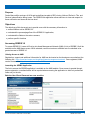
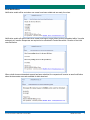
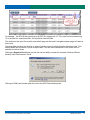
As documents are loaded to support the issue they will be available as a PDF//DOC/DOCX icon.
Labeled “Click the icon to view the supporting document”
To download a copy of the invoice click on “Download NOD Invoice Template”.
Processing Case Responses
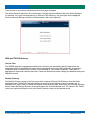
1. Log into AMN and SRDBS
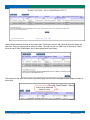
2. Select Notice of Defect
3. If necessary, select the correct year on the Monthly summary screen
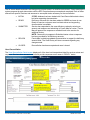
4. Select hyperlink for requested month from the Monthly Summary list to view Monthly Case Details by
month
5. Select file in ‘ready’ status to load case details
NOTE:
User may utilize Search function to locate a specific file.
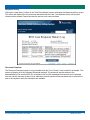
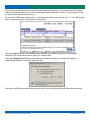
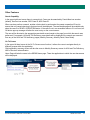
6. Indicate if the case has been cured by clicking the corresponding radio button
a. If the defect has been cured, add comments and supporting documents to confirm the issue has been
cured
b. If the defect has not been cured and it is not it is not the servicer’s intent to cure the defect
i. Add comments explaining why it is not the intent to cure the issue (required)
ii. Add any supporting documents.
NOTE:
Select Not Cure only if you do not intend to cure the defect.
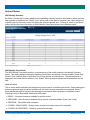
7. Click the submit button. The case status will change to Submitted.
Once all cases within a monthly invoice have been accepted, the monthly status will show as completed and
will be read-only.
© 2014 Fannie Mae. Trademarks of Fannie Mae.
SRDBS User Guide
21