1
T7625.book Page 2 Thursday, July 17, 2003 5:42 PM
Table of Contents
Features for the Digital Proprietary
Telephones................................................ 2
Features List ............................................. 3
Using the Display Proprietary Telephone.. 5
Using the Call Log or Directories ............ 5
Accessing the System Features ............. 6
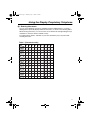
Entering Characters ................................ 7
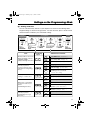
Settings on the Programming Mode....... 9
Setting Features ..................................... 9
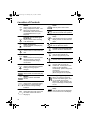
Location of Controls .............................. 11
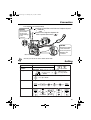
Connection.............................................. 13
Setting ..................................................... 13
Tilt Angle Adjustment ............................ 14
Wall Mounting......................................... 14
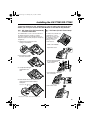
Installing the KX-T7601/KX-T7603 ........ 15
Before Initial Use
Thank you for purchasing the Panasonic KX-T7600 series, Digital Proprietary
Telephone. Please read this manual carefully before using this product and
save this manual for future use.
This manual is designed to be used with your Digital Proprietary Telephone and a
Panasonic KX-TDA series Business Telephone System.
Accessories (included)
Handset
Handset Cord
One
Telephone Line
Cord
One
One
Wall Mounting
Adaptor *
One
* This telephone comes with the wall mounting adaptor already attached. To remove the adaptor for
desktop operation, push the adaptor toward the top of the unit while pressing the two tabs.
Features for the Digital Proprietary Telephones
Model
Description
KX-T7636 *
DPT with Speakerphone, 6-Line Display with Backlight (24-CO)
KX-T7633 *
DPT with Speakerphone, 3-Line Display with Backlight (24-CO)
KX-T7630
DPT with Speakerphone, 3-Line Display (24-CO)
KX-T7625
DPT with Speakerphone (24-CO)
* Optional USB Module and Add-on Key Module are available.
2