1
This document is the property of FABRICOM SYSTEMES D'ASSEMBLAGE and may not
be reproduced or disclosed without their authorisation
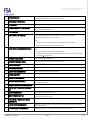
CONTENTS
1
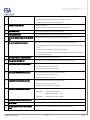
Servo-controlled electric press-fitting ........................................................................5
1.1
1.2
1.3
1.4
Geometric identification
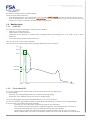
Sequence, Cycle, Curve: definitions
Cycles, chains
Quality check
1.4.1 Cycle OK
1.4.2 Curve check OK
1.4.3 Sequence OK.
5
6
6
7
7
7
8
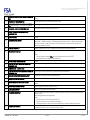
2
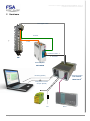
Hardware ...................................................................................................................9
3
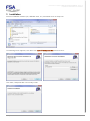
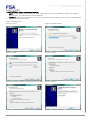
Installation ................................................................................................................10
4
Updating software ...................................................................................................15
4.1 Uninstallation
4.2 Re-installation
5
15
15
1st Run ......................................................................................................................16
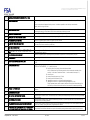
5.1 Software registration
5.2 Organisation of the software
5.3 Creating a project with 1 station and 1 press-fitting unit
5.3.1 Creating a Project, Station and File path
5.3.2 Creating a Press-fitting Unit
5.4 Programming
5.4.1 Specifications
5.4.1.1 Description of fields
5.4.2 Cycles
5.4.2.1 Description of fields
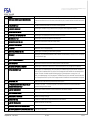
5.4.3 Profiles
5.4.3.1 Configuring recording ranges
5.4.3.2 Using a envelope Curve to place the Recording Ranges (Storing Windows)
5.4.3.3 Configuring check windows
5.4.4 Page: "Sequences"
5.5 Examples of conventional programs
5.5.1 Press-fitting
5.5.2 Interference fitting
5.5.3 Sequence of 3 cycles with return by PLC and Curve check on Cycles 1 and 3
5.5.4 Sequence with a "Looping" phase then a "Check" phase
5.5.5 Sequence with single press-fitting with a narrowly-targeted curve check
5.5.6 Page: "Results": (field bus only)
5.5.7 Help Menu
5.5.7.1 Rhapsodie Guide
5.5.7.2 MVAT fault List
5.5.7.3 "UE references page"
5.5.7.4 Page: "About..."
6
16
17
18
18
21
24
24
25
26
26
29
32
34
35
40
41
41
41
42
48
51
57
59
59
59
60
61
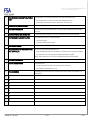
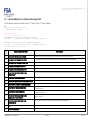
Advanced usage ......................................................................................................62
6.1 Using Rhapsodie.Net: General principles
6.1.1 Project Storage directories
6.1.2 Opening a project directly
6.1.3 Upload/Import/Export
6.1.3.1 Upload (Retrieval of programs from MVAT)
6.1.3.2 Import
6.1.3.3 Export
6.1.4 Sending programs
6.1.4.1 Case of communicating through an UExp-MVAT panel
Rhapsodie.net – User Guide
2013-09
62
62
63
63
63
63
63
64
64
3/130