1
SmartBus P900-V9 USER MANUAL
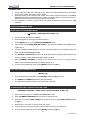
TO ERASE PERSONAL TELEPHONE NUMBER 2
[18] + [#]
1. Ensure that the system is in USER PROGRAMMING mode.
2. Enter [18] for personal telephone number 2 setting.
3. Enter the [#] key to erase previous personal telephone number 2 setting.
4. To exit user programming mode, press [MODE] followed by [#] key.
TESTING THE SYSTEM
Users are advised to test the system as frequent as possible. System must be tested at least once
every 3 months. If the system is not functioning accordingly, please contact your system installer
for technical assistance.
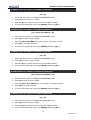
WALK TEST
[MODE] + [1] + [#]
1. Walk Test allows on-site testing of each zone of the system.
2. During walk test mode, the ARMED and SERVICE indicators will slow flash.
3. Siren will trigger for 2 seconds and keypad buzzer will sound briefly if any zone is violated
during walk test mode.
4. If siren and keypad do not sound when zone is violated, consult your system installer.
5. To exit Walk Test, simply press [#] key.
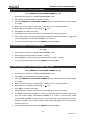
CMS TEST (Manual Test)
[MODE] + [2] + [#]
1. CMS Test allows on-site testing of CMS Reporting.
2. A CMS testing code will be sent to the central monitoring station.
3. Wait for 2 minutes, if CMS reporting fails then a new trouble condition will be registered.
4. Press and hold down [7] key for 2 seconds to view trouble condition and consult your
system installer.
5. Please refer to View System Trouble at page 13.
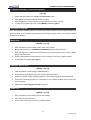
SIREN TEST
[MODE] + [3] + [#]
1. Siren Test allows on-site testing of siren functionality.
2. Siren will sound for 3 seconds.
3. If siren does not sound, consult your system installer.
21
version 1.0