1
Part 1 - Getting Started – Joomla at 30,000 Feet
What is a content management system (CMS)?
A content management system is software that keeps track of every piece of content on your Web
site, much like your local public library keeps track of books and stores them. Content can be simple
text, photos, music, video, documents, or just about anything you can think of. A CMS is used to
administer (create, copy, move, delete, and archive) the content on your Web site. A major advantage
of using a CMS is that it requires limited technical skill to manage; however, basic HTML knowledge
is strongly encouraged. Another advantage of a CMS is that the CMS will take care of the look and
feel and layout on the site, and the user can focus on providing the content and navigation for their
website.
What is Joomla?
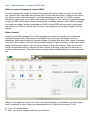
Joomla is an excellent example of a content management system that enables you to make and
update Web pages easily. Many aspects, including its ease of use and the ability to add to its
capabilities, have made Joomla very popular software for building Web sites. With Joomla, a template
is set up by the developer, and then the owner/administrator can give permission to others who would
simply need Internet access to log in and enter content on their own schedule. There are tools built
into the administrative side to customize the look and feel of the page, much like you would use in
creating a Word document. The administrator can allow others to publish directly or have it approved
first.
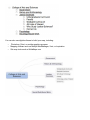
When you first approach Joomla, one of the most important things to understand is how the system
itself is organized. In order to help you remember what to do, think of this acronym –C.A.M.
S - First, you need a Section.
C - Next, you need a Category that lives in your Section.