1
7.3.2.7. SETTING
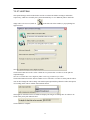
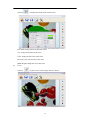
The captured images and recorded videos will be saved into the folders of Images and Videos
respectively, which are created by the system automatically. To set a different path to which the
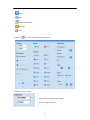
image/video is be to saved, click on
appears below.
on the left side of the window, a pop up dialog box
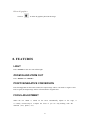
Save the captured images into a different folder
Click on the button next to the "select a folder to save picture files" text box to set the path for
captured images.
Save the recorded video into a different folder and set up parameters for videos
Click on the button next to the "Select a folder to save video files:" text box to set the path for videos.
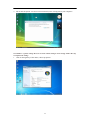
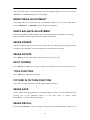
You can also change the video settings. The Audio input (optional) drop down box offers the options
of recording video with or without sound. Shown below:
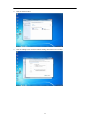
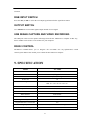
The length of video that can be recorded box displays the longest recording time for videos to be
saved in the preset path. Shown below:
Click on Save to complete.
35