1
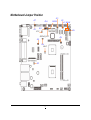
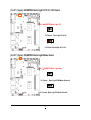
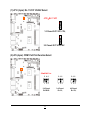
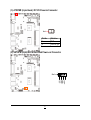
Pin 1-2 Closed: Case open display function enabled. Use needs to enter BIOS and
enable ‘Case Open Detect’ function. In this case if you case is removed, next time
when you restart your computer a message will be displayed onscreen to inform you
of this.
2-2 Connectors and Headers
2-2-1 Connectors
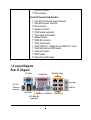
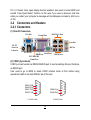
(1) Rear IO Connectors
VGA Port
Parallel Port
RJ-45 LAN Ports
Line-Out
DC 12V
Power-in
Connector
MIC-In
RJ-11 Port
HDMI Port Serial Port 1
PS/2 KB & MS
Combo Port
USB 2.0 Ports
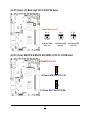
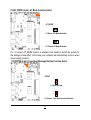
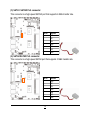
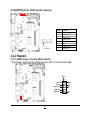
(2) COM1 (9-pin block):
COM1 port can function as RS232/422/485 port. In normal settings this port functions
as RS232 port.
User need to go to BIOS to select COM1 function mode at first, before using
specialized cable to connect different pin of this port.
RS422 RX(B)
RS422 RX(A)
RS422 TX(A)
RS422 TX(B)
RS485 D+(A)
RS485 D-(B)
For RS422 Mode
For RS485 Mode
16