1
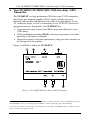
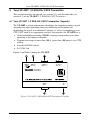
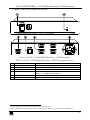
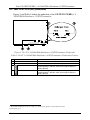
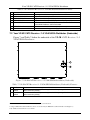
Your VP-200XLT/VP-200XLT(HD) XGA Line Amp / CAT5 Transmitter
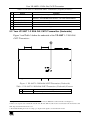
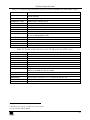
Table 1: VP-200XLT XGA Line Amp / CAT5 Transmitter Features
#
Feature
Function
1 12V DC
+12V DC connector for powering the unit
1
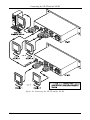
2 LINE OUT RJ-45 Connector Connects to the LINE IN RJ-45 connector on the TP-120 XGA Line
2
Receiver or the VP-5R CAT5 Receiver / 1:5 VGA/UXGA Distributor
3 XGA OUT HD15F Connector Connect to the XGA acceptor
4 INPUT HD15F Connector
Connect to the XGA source
5 LEVEL Control knob
Rotate to adjust the output signal level
6 EQ. Control knob
Rotate to adjust the video EQ. (equalization) compensation
7 ON LED
Illuminates when receiving power
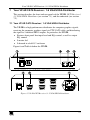
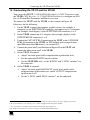
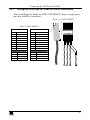
1 Using a UTP CAT5 cable with RJ-45 connectors at both ends (the PINOUT is defined in Table 8 and Figure 11)
2 Refer to the separate user manual: PT-110, PT-120, TP-120, WP-110, which can be downloaded from the Internet at this
URL: http://www.kramerelectronics.com
7