1
Appendix of Common Functions
Lookup & Reference
Functions
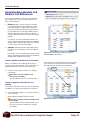
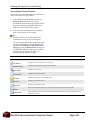
You can use Excel’s Lookup & Reference functions to
locate values in rows or columns of data.
Exercise
• Exercise File: None required.
• Exercise: Become familiar with Excel’s Lookup &
Reference functions.
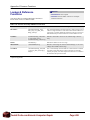
Table 17-5: Overview of Lookup & Reference Functions
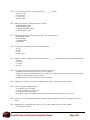
COLUMNS
=COLUMNS(array)
Returns the number of columns in a range.
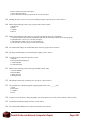
HLOOKUP
=HLOOKUP(lookup_value,
table_array, row_index_num,
Range_lookup*)
This “horizontal lookup” function looks for a value in the top row of
a table or range and returns a value in the same column from the row
you specify. Use when comparison values are in the top row across a
table of data and you want to look down a certain number of rows.
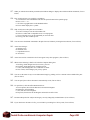
LOOKUP
=LOOKUP(lookup_value,looku
p_vector,result_vector);
=LOOKUP(lookup_value,array)
Returns a value from a one-row or one-column range or from an
array.
ROWS
=ROWS(array)
Returns the number of rows in a range.
TRANSPOSE
=TRANSPOSE(array)
Returns a vertical range of cells as a horizontal range, or vice versa.
Changes the orientation of the range.
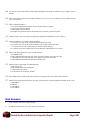
VLOOKUP
=VLOOKUP(lookup_value,tabl
e_array,col_index_num,range_l
ookup*)
This “vertical lookup” function looks for a value in the first column
of a table or range and returns a value in the same row from the
column you specify. Use when comparison values are in a column to
the left of the data you want to find.
*Optional arguments
DoubleTechs.com Remote Computer Repair
Page 265