1
Shenzhen Konvision Technology Co,.Ltd
www.konvision.com
Content
Notes ............................................................................................................ 3
Security ........................................................................................................ 4
Screen Maintenance................................................................................................ 4
Cabinet Maintenance............................................................................................... 4
Installation ............................................................................................................... 5
Rack mount installation ……………………………...……………..…………………….5
Transportation ......................................................................................................... 5
Features ....................................................................................................... 6
Parts and Their functions ............................................................................. 9
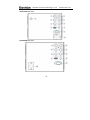
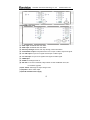
Front view ................................................................................................................ 9
Rear view .............................................................................................................. 14
OSD Menu ..................................................................................................16
Menu Structure ...................................................................................................... 16
Menu Operation ..................................................................................................... 18
Menu Item Description............................................................................................18
Picture ........................................................................................................... 19
Img.Adj ...........................................................................................................19
Setup ............................................................................................................. 20
Audio ............................................................................................................. 22
PIP/PBP ........................................................................................................ 23
Scope………………………………………………………………………………..26
Status ............................................................................................................ 28
Pixel Measure.........................................................................................................28
Factory Reset ..............................................................................................29
Remote Control ...........................................................................................30
2