1
Shenzhen Konvision Technology Co,.Ltd
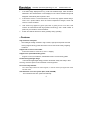
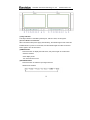
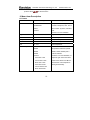
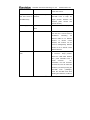
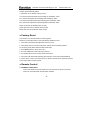
PIP
position
(this
Small
The second window is small size
Left Top
The second window in the left-top
corner of screen.
item shows in PIP
The
Right Top
mode)
www.konvision.com
second
window
in
the
right-top corner.
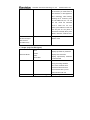
The second window in the center.
Center
The
second
window
in
the
in
the
right-bottom corner.
Right Bottom
The
second
window
left-bottom corner.
Left Bottom
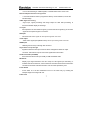
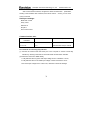
The second window is adjustable
by user
Custom
When the user select this option,
it will automatically pop up at the
following "H position" and "V
position" menu items
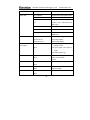
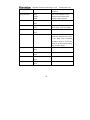
H Position
(this
item
Horizontal position adjustment of
0-100
picture-in-picture’s second
shows
window.
when PIP position
select “Custom”)
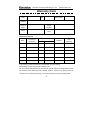
V Position
(this
item
Vertical position adjustment of
0-100
picture-in-picture’s second
shows
window.
when PIP position
select “Custom”)
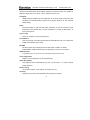
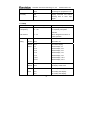
Alpha Blend
Adjustment
0-100
of
PIP’s
second
(this item shows in
window and the main window
PIP mode)
alpha blend degree. When the
value is 0, the second window is
translucent blend with the main
window; when the value is 100,
25