1
14
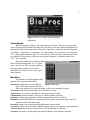
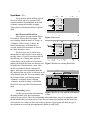
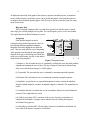
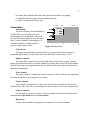
Smoothing menu
Smoothing is used to reduce random
variation (noise) so the signal is revealed more
clearly. There are several different smoothing
techniques offered in this option. The most
appropriate technique will depend on the type of
data being smoothed. The original data in the
channels selected for smoothing are replaced.
(i) Moving median. The median value for a
selected number of points (3-21) is found,
Figure 19 Smoothing menu
then, moving forward one data point, the
median value for the same number of points is found. For example, the median value of points
1-3 is found, then the median value of points 2-4, then the median value of points 3-5, etc. As
noted in the provided cue, this technique is useful for spike removal. The number of points over
which the median value is found (in this example: 3) is called the window.
(ii) Moving average. Same idea as the moving median, except the average value is found for the
selected window. This technique is also good for spike removal.
(iii) Digital Filter. Same as the <Digital filter> item of the <EMG processing> option in the
<Analyze menu>. The filter type and characteristics are chosen, then the selected channels are
filtered.
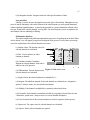
(iv) Interpolate. Use this option to linearly interpolate between two points within a channel. First
set the cursors to two parts of the curve(s) where the interpolation is to be done. Then use this
option two linearly interpolate between the cursors for the selected curve or curves.
Rectify
This option will convert all the data of selected channels to absolute values. The original values
of the full wave rectified channels will be erased.
Scaling
Use this option to rescale the data from one unit of measure to another or to convert from
analogue voltages to mechanical units. The factor entered will be multiplied by the selected data
channel. Enter 1 to leave a channel unchanged or -1 to reverse a channel.
Time base
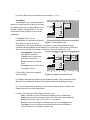
Use this option to alter the time base or phase-shift individual channels. Use the <Units> to
change the times units displayed.
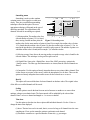
(i) Invert. The time base can be inverted, that is, reversed as long as all channels have the same
sampling rate. If not, use the normalize option to synchronize each channel.
(ii) Normalize. normalize to a specified number of intervals, e.g., percentages