1
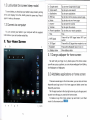
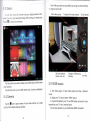
2,3Add、 Ⅳidgets to home screen∶
3‘
Tab a"Apps|auncher→ Tab VVIDGETs There are Ana丨
og c|ock,
bookmarks,calenda1EmaⅡ ,and丨 ots of other widgets Drag the widˉ
get y° u Wantt° the holη
Tips∶
1,2Turn o仟
Please turn o仟
o仟
VViˉ
Fi
llVi-Fiif you’
re not using itto save the battery TO turn
llV-Fi,Tab"again
e screen
Besides your home screen,you can access to otherfour pan-
els by s"ding left orrightin your home screen YOu can also customize
these panels
lII■
ⅡetⅢ ork CoⅡ mectio"
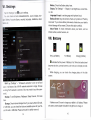
3.1,3Add a、 Ⅳ Fi network
iˉ
3,1Wi-Fi
Users may also add a
Fi settings” ,tap“ Add
Wi-Fi can only be used When it connects、 Ⅳ
TOuch saVe
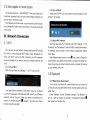
Works” ,tap“ VVi-Fr to turn it on After a moment,your VVi-Fi networks
shoulu populate忏
y° u
“
need to rescan for availab丨 e netWorks,tap
scan”
31.1Turn on Wiˉ
In“ 、
lf necessa% enter security or other network con币 guration deta"s
"h homeWire∫
llVi-Fi
Access
POint(AP)or a free unsecured Wi-Fi hotpot Under“
ess&net-
Ⅱ
st
Ⅵ/i-Fi netWork under“ VVi-Fi settings勹
^/inetWork” Enterthe SslD(name)ofthe notwork
NOte∶ Network status icons turn bIue■
count added to yourtablet and the tab丨
f you have a Google Ac-
etis connected to Google ser-
Vioes,for syncing your Gma",Calendar events,contacts,for baCking
Fi
W"hin the App Panel,tap“ settings” → “
、
Ⅳi-Fr
up your settings,and so on
to turn° n wifl
3,2B丨 uetooth
3.2.刂
Make device discoverable
You must pair yourtablet with a device before you can connectto
it
YOur tablρ t Ⅱ
sts the networks it fnds within range Tap a netVvork
to conneCt lf necessary,enter NetWork sslD,security,and llVire丨 ess
password,and tap“ COnnect” 、
Ⅳhen your tabletis connected to the
ne佃 ork,the wirebss indicator:■ appears in the s臌 us ba匚 WaVes
indicate connection strength
○nce you pair yourtablet with a deVice,they stay paired unless you
unpairthem
’
“
Under “
settings’ , choose
BIuetooth settings” Tap Bluetooth to
tum on Ⅱand tap“ Search for deⅥ ∞ ζ The Bluetooth indiCator■
then appears in the status bar