1
OPERATING THE HD MINI PATTERN SIGNAL GENERATOR
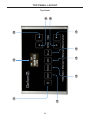
Audio Button
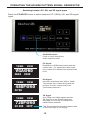
Press the AUDIO button to cycle through the different audio output formats. Note
that audio is only output over HDMI. The TOSLINK connector is reserved for the
Audio Return Channel (ARC).
AUDIO
Press to cycle through the
audio output formats.
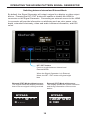
The table below lists the order in which each of the audio settings will appear
after each press of the AUDIO button. The audio frequency is always 1 kHz.
Sampling Rate
Number of Audio Channels
48 kHz
2 Channel
48 kHz
5.1 Channel
48 kHz
7.1 Channel
96 kHz
2 Channel
96 kHz
5.1 Channel
96 kHz
7.1 Channel
192 kHz
2 Channel
NOTE: The highlighted audio settings are only available when using
3D timings (3DFP, 3DSH, 3DTB).
14