1
Table of Contents
Table of Contents
Preface.................................................................................. i
Package Contents.......................................................................... 1
System Requirements.................................................................. 2
Introduction.................................................................................... 3
Features............................................................................................. 4
Hardware Overview...................................................................... 5
Bottom Panel........................................................................... 5
Physical Installation...................................................................... 6
Before You Begin.................................................................... 6
Safety Precautions................................................................. 7
Physical Installation...................................................................... 8
Mounting the AP.........................................................................10
Mounting the AP to a Pole...............................................10
Mounting the AP to a Wall................................................11
Connect to your Network.........................................................12
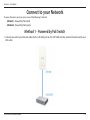
Method 1 - Powered by PoE Switch..............................12
Method 2 - Powered by PoE Injector............................13
Wireless Installation Considerations.....................................14
Four Operational Modes..................................................15
Configuration....................................................................16
Web-based Configuration Utility...........................................16
Save and Activate Settings.......................................................17
Basic Settings................................................................................18
Wireless ..................................................................................18
Access Point mode.........................................................18
D-Link DAP-3320 User Manual
WDS with AP mode .......................................................20
WDS mode........................................................................22
Wireless Client mode.....................................................24
Authentication Types.........................................................26
Open System/Shared Key Authentication ............26
WPA/WPA2-Personal Authentication.......................27
WPA/WPA2-Enterprise Authentication...................28
802.1x Authentication...................................................29
LAN ..........................................................................................30
IPv6...........................................................................................31
Advanced Settings......................................................................32
Performance..........................................................................32
Wireless Resource Control........................................................34
Multi-SSID...............................................................................36
VLAN.........................................................................................37
VLAN List............................................................................37
Port List...............................................................................38
Add/Edit VLAN.................................................................39
PVID Setting......................................................................40
Intrusion..................................................................................41
Schedule.................................................................................42
Internal RADIUS Server......................................................43
ARP Spoofing Prevention Settings................................44
Bandwidth Optimization..................................................45
AP Array...................................................................................47
AP Array Scan...................................................................47
ii