1
4.1
INSTRUMENT SET-UP AND RESET
When the instrument is correctly connected to voltage and current it will
automatically power up and begin measuring. The display will show “WAIT”
during initial power up whilst the unit carries out a self test routine. After a
few seconds the display will show a value and the MD button will illuminate.
The instrument must be set up for the CTs to which it is connected. This need
only be done once, after which the setting is maintained in memory for the life
of the unit regardless of whether it is powered up or not.
!
NOTE: The “RESET” slide switch on the rear of the panel must be
set to ‘ON’ prior to commencing the set-up routine
6.1
TECHNICAL CHARACTERISTICS
Connection:
Inputs:
Pulse Output:
Power Supply:
Consumption
Overload:
Amps:
Weight:
IP rating:
Temp Range:
Dims:
3 phase star or single phase
Voltage: 415VAC 3ph 50/60 Hz
Current: 5A max 20/800 Hz Burden 0.5VA
Opto isolated volt free contact
Rating - 100mA 250 VAC
Value - 1 pulse per kWh
Duration - 400-500 msec
Internally connected from volts input
3VA
Volts
264VAC Ph/N
460VAC Ph/Ph
16A, Max 60A for 1 second.
300g.
Instrument = IP20 Front Panel = IP40
From -5oC to +45oC
70w x 57.5d x 90h (mm)
N.B: Do not expose the instrument display to direct sunlight.
4.2
CT SET-UP
SELEC TAB LE C T R ATIOS
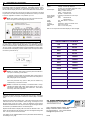
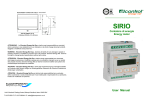
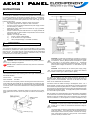
The unit utilises a hidden button situated in the centre of the AEM31 logo to
the lower right of the front panel (see below). By depressing the ‘MD’
button and the kWh button simultaneously the instrument is entered into
‘SET-UP’ mode. Press the MD button to scroll the available CT ratios. When
the desired ratio is displayed, press the ‘hidden’ button to accept the values
into memory and exit set-up.
4.3
!
COUNTER/MD RESET
NOTE: The “RESET” slide switch on the rear panel must be set to
‘ON’ prior to executing a reset action.
To execute a reset of either the cumulative kWh counter value of
the Maximum Demand value, ensure the value to be reset (kWh or
MD) is displayed on the instrument.
Press the parameter key (kWh or MD) and the hidden key
simultaneously to execute the reset.
!
5.1
NOTE: To eliminate the possibility of unwanted resets or set-up
changes the RESET slide switch should always be set to ‘OFF’
after either of these actions have been carried out. This renders
both set-up and reset inoperative.
5/5
500/5
25/5
600/5
40/5
750/5
50/5
800/5
60/5
1000/5
75/5
1200/5
80/5
1250/5
100/5
1500/5
120/5
1600/5
150/5
1800/5
200/5
2000/5
250/5
2500/5
300/5
3200/5
320/5
4000/5
400/5
INSTRUMENT OPERATION
Following connection and set-up the instrument may be set to read either
kilowatt hour (kWh) consumption of Maximum Demand (MD) in kilowatts
(kW).
Depress the kWh button to display kWh. The button will illuminate and the
instrument will show the cumulative active energy consumption to two
decimal places (1/100 of a kWh). Once the displayed value reaches
999999.99 the decimal will move one place to the right, allowing the AEM31
to measure up to 9999999.9 kWh to one decimal place.
Depress the MD button to display half hour maximum demand in kW. The
button will illuminate and the instrument will show the highest average kW
over a 30 min period since the last reset.
Unit 5 Southmill Trading Centre, Southmill Road,
Bishop’s Stortford, Herts. CM23 3DY
Tel: 01279 503173 Fax: 01279 654441
sales@elcomponent.co.uk
The display may be toggled between the two parameters without affecting
the readings in any way.
10/03