1
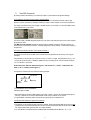
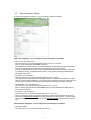
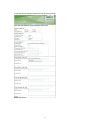
In case you want to send some event messages only to certain e-mail recipients or if you want to
change the standard messages you can do this via the „Advanced configuration“- Register for the
individual events.
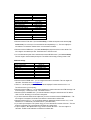
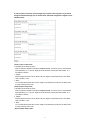
„Event 1 (input 1 event) e-mail“:
„Recipients for this event only (TO1)“
Here you define the recipient e-mail address (only for event 1). You can list up to 5 e-mail addresses
each separated by a <;>. The max. length per e-mail address is 75 characters. Default status: no email address is entered.
„Subject“
Here the subject line of the e-mail is defined. The max. length is 128 characters per text. The default
value is "STD32 1 event"
„Body“
You can define the body text here. The max. length is 160 characters per body text. The default value
is empty, meaning no text is sent.
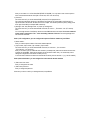
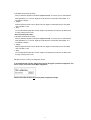
„Event 2 (input 2 event) e-mail“:
„Recipients for this event only (TO2)“
Here you define the recipient e-mail address (only for event 2). You can list up to 5 e-mail addresses
each separated by a <;>. The max. length per e-mail address is 75 characters. Default status: no email address is entered.
„Subject“
Here the subject line of the e-mail is defined. The max. length is 128 characters per text. The default
value is "STD32 1 event"
„Body“
You can define the body text here. The max. length is 160 characters per body text. The default value
is empty, meaning no text is sent.
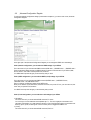
„Event 3 (startup alarm) e-mail“:
22