1
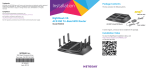
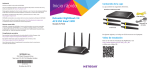
You can use this diagram to connect your router or follow the detailed instructions in this booklet.
1. Remove the antenna caps.
Remove the antenna caps from the
antenna posts on the router.
6. Connect a computer.
You can use an Ethernet cable or connect
with WiFi.
To connect with WiFi, use the WiFi
network name and password on the
product label.
2. Attach the antennas.
Attach the antennas on the threaded
antenna posts.
Position the antennas for the best
WiFi performance.
7. Log in to the router.
Launch a web browser.
NETGEAR genie displays.
NETGEAR recommends that the
center antenna be vertical and that
you aim the others outward at
45-degree angles as shown.
If you do not see genie, enter
www.routerlogin.net in the address
field of the web browser. When prompted,
enter admin for the user name and
password for the password.
Antenna posts
3. Prepare your modem.
Unplug your modem’s power. If it has a
battery backup, remove the battery.
Ethernet cable
4. Connect your modem.
Plug in your modem. Put the battery back
in. Then cable the modem to the yellow
Internet port on the router.
5. Power on the router.
lights
The Power LED
amber and then turns
white when the router is
ready.
Follow the genie steps to connect to the
Internet.
8. Get the genie app.
Download the free genie app from
www.NETGEAR.com/genie.
Easily share media, files, and printers
on the network from your smartphone,
tablet, or laptop.
Internet
Router
DSL or
cable
Ethernet
cable
Modem
Power
adapter
9. Get the user manual.
You can get the user manual online at
http://downloadcenter.netgear.com
or through a link in the product’s user
interface.
Support
Thank you for purchasing this NETGEAR product.
After installing your device, locate the serial number on the label of your
product and use it to register your product at https://my.netgear.com.
You must register your product before you can use NETGEAR telephone
support. NETGEAR recommends registering your product through the
NETGEAR website.
For product updates and web support, visit http://support.netgear.com.
NETGEAR recommends that you use only the official NETGEAR support
resources.
You can get the user manual online at
http://downloadcenter.netgear.com or through a link in the product’s
user interface.