1
Contents
Contents .................................................................................................................................................. 2
Introduction............................................................................................................................................. 4
Features ............................................................................................................................................... 4
Applicable Models ............................................................................................................................... 5
Specifications....................................................................................................................................... 5
Electrical Ratings ............................................................................................................................. 5
Operating Environment ................................................................................................................... 5
Dimensions ...................................................................................................................................... 5
User Account Overview ................................................................................................................... 6
Safety ................................................................................................................................................... 7
Certifications ................................................................................................................................... 8
Compliance ...................................................................................................................................... 8
Recycling .............................................................................................................................................. 9
Servicing & Repair ............................................................................................................................... 9
Additional Documentation .................................................................................................................. 9
Getting Started .................................................................................................................................. 10
Receiving Inspection ...................................................................................................................... 10
Inventory ....................................................................................................................................... 10
Installation ............................................................................................................................................. 11
Mounting the AC2Sensor ................................................................................................................... 11
Connecting the AC2Sensor ................................................................................................................. 11
Installing Transducers........................................................................................................................ 12
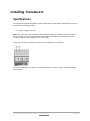
Specifications ................................................................................................................................. 12
Installation ..................................................................................................................................... 13
Overview................................................................................................................................................ 14
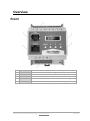
Front .................................................................................................................................................. 14
Status LEDs ........................................................................................................................................ 15
Power LEDs (1)............................................................................................................................... 15
Quick Configuration............................................................................................................................... 16
Using the OLED Display ..................................................................................................................... 16
Activating the Display .................................................................................................................... 16
Controlling the Display .................................................................................................................. 16
Network Settings ............................................................................................................................... 17
Dynamic IP Address Assignment (DEFAULT) ................................................................................. 17
Manual IP Address Assignment ..................................................................................................... 18
Web Interface ........................................................................................................................................ 19
© 2011 Racktivity NV
Antwerpsesteenweg 19 - 9080 Lochristi - Belgium - www.racktivity.com
2/32
v 2013.5.23