1
Getting Started – 3 Easy Steps
IN ORDER TO ACCESS THIS APPLICATION AND THE SELF-SERVICE FACSCALIBER MACHINE, PLEASE
CONTACT YOUR PRINCIPAL INVESTIGATOR/LAB HEAD TO MAKE SURE THAT YOUR ACCOUNT HAS BEEN
ACTIVATED. IF YOU PI NEEDS INSTRUCTIONS ON HOW TO ACTIVATE ACCOUNTS, PLEASE DIRECT THEM
TO THE PI USER MANUAL AT:
HTTP://WWW.MED.NYU.EDU/NYUCI/RESEARCHERS/SHAREDCOREFACILITIES/FLOW.HTML
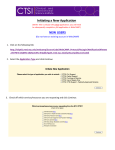
1. Log onto the application
The Flow Cytometry Lab is best viewed in Internet Explorer on a PC. The
application is located at:
http://tools.med.nyu.edu/Flowcytometrylab
You will need to know your Kerberos ID in order to access the
application. For help with this information, please contact
School of Medicine Customer Support Services: 263-HELP (4357).
Leave the Password field blank and click the Logon button. You will be
prompted to choose your own password. After doing so, you’ll need to repeat
the login process, this time with your newly established password.
2. Submitting a Project
The first screen you see when you log into the application is your Project
Queue. You can return to this screen at any time by clicking on the Projects tab
located at the top of every screen.
Click on the Create New Project button and you will be directed to the
online submission form. A project is equivalent to a rack of test tubes – each time
you deliver a set of samples, you should create a new project.
To submit your project, you must:
1. Enter a Project Name – use something that you’ll be able to easily
associate with the specific samples you are submitting.
2. Include instructions and/or comments about the Work Requested. You
can cut and paste text from an existing document or simply type something in.
3. Select a Debited Account to pay for the services. Charges will be
automatically sent to FAME once the project has been completed by the Flow
Cytometry Lab. If the account dropdown menu does not include an account
contact your Principal Investigator.