1
Table of Contents
Chapter 1: Your Trio Program Guide ................................ 7
A Visual Orientation to Cards ................................................................................................. 8
Navigational Clues ................................................................................................................ 10
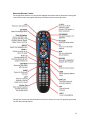
About the Remote Control .................................................................................................... 15
About This Book .................................................................................................................... 16
Chapter 2: Getting Started ............................................... 17
Watch Live Television ........................................................................................................... 18
Change Channels ................................................................................................................. 18
View Basic Program Information .......................................................................................... 18
View Detailed Program Information ...................................................................................... 18
Open the Main Menu ............................................................................................................ 18
Open the Actions Menu ........................................................................................................ 19
Switch Users ......................................................................................................................... 19
Chapter 3: Guide ............................................................... 20
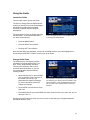
Using the Guide ....................................................................................................................... 21
Launch the Guide .................................................................................................................. 21
Change Guide Views ............................................................................................................ 21
Notes About Grid View.......................................................................................................... 22
Find Programs Playing on a Specific Date and Time ........................................................... 22
Use the Guide to Find Available Channels ........................................................................... 22
Use the Guide to Find Available Programs........................................................................... 23
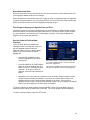
Get More Information ............................................................................................................ 23
Watch a Program or Channel ............................................................................................... 23
Scroll Through the Guide ...................................................................................................... 23
Exit the Guide ....................................................................................................................... 24
Browse Related Programs ..................................................................................................... 25
Watch Another Episode ........................................................................................................ 25
Browse Related Series ......................................................................................................... 26
Browse Cast & Crew ............................................................................................................. 26
Browse Related Genre.......................................................................................................... 27
About Info Banners and Channel Banners ........................................................................... 28
See Channel Banners While Watching Live Television ........................................................ 28
See Info Banners While Watching Live Television ............................................................... 28
Switch Programs from Info Banners ..................................................................................... 28
Change Channels from Info Banners ................................................................................... 28
See Info Banners While Watching On DEMAND.................................................................. 29
Banner Icons ......................................................................................................................... 29
Close Info Banners ............................................................................................................... 30
Service Messages ................................................................................................................. 30