1
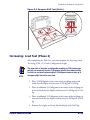
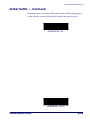
Scanner — Pass UPC/EAN bar code labels in front of the scanner’s win-
dows. Since the interface cable is not yet connected to the POS terminal, the scanner may be limited to reading only one or two labels
(see the note that follows). The scanner indicates when each label
has been successfully read by flashing the green scanner light and
emitting a good read tone (beep). Some host interface types may
“chirp” instead of beeping.
NOTE
When not connected to the host, the scanner may be limited to reading only
one or two labels. (This limitation is dependent upon the interface type.) To
scan multiple labels without connecting to the host, place the unit in Scanner
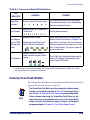
Diagnostic Mode by pressing the Volume/Tone Push Button for four seconds.
EAS System — The way in which EAS labels are deactivated is depen-
dent upon which aftermarket EAS system was purchased and installed.
See the user’s manuals and other documentation accompanying that EAS
equipment.
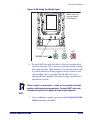
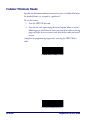
Scale — If the Yellow (bottom) LED/Button is not lit, press that button
momentarily. If the scale is operating correctly, the yellow LED will
illuminate and remain on steady, and the display will show a reading
of 0.00 lb (0.000 kg for metric). If the display is blank or a
-0is displayed, it may be necessary to calibrate the scale
before continuing. Refer to Chapter 5, Calibration, for calibration procedures.
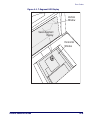
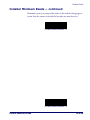
Remote Scale Display — Check to verify that 0.00 lb (0.000 kg for
metric) is displayed, then place an item on the weighing platter. Verify that the display shows a weight and that the yellow LED goes
out. Remove the item and observe that Remote Scale Display shows
0.00 lb (0.000 kg for metric) and that the yellow LED is On.
6. Unplug the AC power cord from the outlet and disconnect the
power cord and Remote Scale Display cable from the scanner’s connector panel.
After you have verified that the scanner, EAS system and scale (if present)
are completely functional, continue with the following procedures to
complete the installation.
2-24
MagellanTM 8300/8400