1
electricity can affect normal operation of tl-lisrecorder.
If this occurs, turn the recorder off and on again with
tl-_ePOW'ER button, or disconnect and then reconnect
d-_eAC power cord to tile AC power oudet.
The recorder will operate normally
Be sure to remove the disc and turn off tl-le recorder
after use.
| Important Safety Instructions
Read tllese operating instructions carefully before using
the unit. Follow all the safety instructions listed below.
Keep these operating instructions handy for future
reference.
Disconnect the AC power cord from tile AC outlet
when you dont intend to use tt-_erecorder fur long
periods of time.
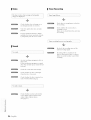
Clean the disc by wiping m a straight line from tl-ie
inside to the outside of the disc.
I Maintenance of Cabinet
1)
2)
3)
4)
5)
6)
7)
Read these instructions.
Keep these instructions.
Heed all warnings.
Follow all instructions.
Do not use tllis apparatus near water.
Clean only with dry cloth.
Do not block any ventilation openings, Install in
accordance with tile manufacturer's instructions.
8) Do not install near any heat sources such as radiators.
heat registers, stoves, or other apparatus (including
amplifiers) that produce heat.
9) Do not defeat the safety purpose of the polarized or
grounding- type plug. A polarized plug has two
blades with one wider than the other. A groundingtype plug has two blades and a third grounding
prong. The wide blade or tl-ie third prong are
provided for your safer> if the provided plug does not
fit into your oudet, consult an electrician for
replacement of the obsolete outlet.
10) Protect the power cord from being walked on or
pind-_ed particularly at plugs, convenience receptacles,
and tl-lepoint where they exit from the apparatus.
1 l) Only use attachments/aceessories
specified by the
manufacturer.
For safety reasons, be sure to disconnect the AC power
cord from d-le AC outlet.
• Do not use benzene, thinner, or od-ler solvents for
cleaning.
• Wipe the cabinet with a soft cloth.
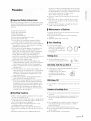
I Disc Handling
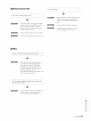
Use discs with regular
shapes. If an irregular disc (a
disc with a special shape) is
used, this DVD recorder may
be damaged.
X
Holding discs
• Avoid touchit_g tile surface of a
disc where recording is performed.
DVD-RAM, DVD-RW and DVD-R
12) Use only with the cart. stand, tripod, bracket, or
table specified by the manufacturer, or sold with the
apparatus. \7v'hen a cart is used, use caution when
moving the cart/apparatus combination to avoid
in.jury from tip-over.
13) Wnpl ug this apparatus during lightning storms or
when unused for long periods of time.
14) Refer all servicing to qualified service personnel.
Servicing is required when the apparatus has been
damaged m any wa 5 such as power-supply cord or
plug is damaged, liquid has been spilled or objects
have fi/llen into the apparatus, the apparatus has
been exposed to ram or moisture, does not operate
normally, or has been dropped.
• Clean with an optional DVD-RAM/PD disc cleaner
(LF-K2OODCAI where
available).Do not use cleaners
or cloths for CDs to clean
DVD-tL_M/DVD-RW/DVD-R
discs.
I Handling Cautions
• Do not write on the printed side with a ball-point pen
or pencil.
• Do not use record cleaning sprays or antistatic. Also,
do not use volatile chemicals, such as benzene or
d-iinner.
,, Before connecting other components to this recorder,
be sure to turn them all off-.
,, Do not move the recorder while a disc is being played,
or tl-ie disc may be scratched or broken, and the recorder's internal parts may be damaged.
,, Do not put a flower vase filled with water or any
small metal objects on the recorder.
,, Be careful not to put your hand into the disc tra):
,, Do not place anyd-_ing other d-ian the disc in the disc
tray
,, Exterior interference such as lightrling and static
DVD-Video, CD
• Wipe off dirt or comamiuatiou
cloth.
on the disc v, ith a soft
Cautions on handling discs
• Do not apply labels or stickers to discs. (Do not use
discs fixed with exposed tape adhesive or leftover
peeled-off stickers.)
• Do not use scratch-proof protectors or covers.
• Do not use discs printed with label printers available
on the market.
• Do not load warped or cracked discs.
El-lglish -3