1
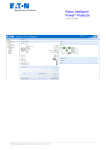
www.eaton.com ® In the Power source field select the UPS that powers the computer hosting Intelligent Power Protector (This settings is also accessible through Settings -> Auto-Discovery -> Set as PowerSource) Check other parameters. Click on Save Other parameters: Load Segment: (Optional) the load segment that powers the server hosting IPP Note: When “Master” is selected the entire UPS will switch off. Access parameters: (When Power Source is managed through the network) If the Power source is a Web/SNMP Cards (Network-MS (ex 66102 / 103006826) and Modbus-MS (ex 66103)), Login and password are needed only if Intelligent Power® Protector has to set values in the Web/SNMP Card. (e.g. when changing the shutdown duration value) If the Power source is another Intelligent Power® Protector with “shutdown controller” feature activated, then Login and password are mandatory. The Login must be the “admin” account. In case of a misconfigured Shutdown feature, the software signals a communication error. Check that power source and access parameters (if needed) are correctly set. Eaton Intelligent Power® Protector – User’s Guide – / AH-1.40 Page 21/75