1
Alternate Arming Methods
Away Arming
Arming the system in the Away mode will have all interior zones and perimeter zones active. If motion
is detected in the interior zones, or if one of the perimeter zones is violated, the alarm sequence will
begin. To arm in the Away mode, enter your access code and exit the premises through a designated
Exit/Entry door. The system will recognise that occupants have left the premises. Once the exit delay
expires, the system will be fully armed.
Audible Exit Fault
In an attempt to reduce false alarms, the Audible Exit Fault is designed to notify you of an improper
exit when arming the system in the Away mode. In the event that you fail to exit the premises during
the allotted exit delay period, or if you do not securely close the Exit/Entry door, the system will notify
you that it was improperly armed in two ways: the keypad will emit one continuous beep and the bell or
siren will sound. If this occurs, you must re-enter the premises, enter your access code to disarm the
system, and then follow the arming procedure again, making sure to exit the premises in the proper
fashion.
Stay Arming
This feature, if enabled by your installer, will allow you to arm the perimeter zones while leaving the
interior zones inactive so that you can remain on the premises while the system is armed. When you
enter your security code to arm the system and do not exit the premises through a designated Exit/
Entry door, the system will arm in the Stay mode, automatically bypassing the interior zones.
The interior zones can be reactivated at any time by entering [✱][1] at any keypad. If you reactivate
the interior zones, be sure to only inhabit areas not covered by motion detectors. To access areas
protected by motion sensors, you must enter your security code and disarm the system.
Arming Without Entry Delay
If you wish to arm your system without the entry delay, enter [✱][9] then your access code. The Armed
light will flash as a reminder that the system is armed and has no entry delay. An entry through any
zone programmed as a delay zone will create an instant alarm.
Quick Arm
When the Quick Arm feature is enabled, the system may be armed by simply pressing [✱][0] instead
of your access code. Please note that pressing [✱][0] will only allow you to arm the system; to disarm,
you must enter a valid access code. Your installer will inform you if the Quick Arm feature has been
enabled on your system.
Quick Exit
When the Quick Exit feature is enabled, pressing [✱][0] while the system is armed will provide a two
minute window for you to exit the premises. During this time, you may only open and close the
designated Entry/Exit door once. Once the door is closed, the panel will end the two minute quick
exit delay. If the door is opened again, or if the door is not closed after two minutes, or if another zone
is opened, the panel will begin the entry delay. Your installer will inform you if the Quick Exit feature has
been enabled on your system.
4
Door Chime Feature
The door chime feature is used to provide a tone from the keypad each time a door or window is
opened or closed. The doors and windows which will provide this indication are programmed by your
installer.
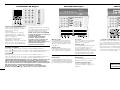
To activate the door chime from an LED Keypad:
Enter [✱][4] to turn the door chime feature ON and OFF. When the command is entered, the keypad
buzzer will beep 3 times if the door chime feature is enabled and will sound one long beep if it is
disabled.
To activate the door chime from an LCD Keypad:
Press [✱] to enter the function list, then scroll to find...
Press (*) For<> Press [✱] or [4] to enable or disable the Door Chime feature. Press [#] to return to
the Ready state.
Door Chime
Fire Alarm Operation
Alarm
On a fire alarm, the bell or siren will pulse ON and OFF. The transmission of the alarm to the monitoring
station is delayed for 30 seconds. If the alarm is not cleared within the 30 second delay, the it will be
transmitted to the monitoring station.
Silence
To silence the bell or siren, press the [#] key. If the alarm is silenced and the smoke detector is not
reset, the alarm will resound after 90 seconds.
Resetting Smoke Detectors
Once the smoke detector is reset, if it still detects smoke, the alarm sequence will resound as
described above. If there is no smoke, the system will return to normal.
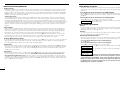
To reset smoke detectors from an LED Keypad:
Press [✱][7][2].
To reset smoke detectors from an LCD Keypad:
Press [✱] to enter the function list. Scroll to find:
Press (*) For <> Press [✱] to select the output control. The display will read...
Output Control
Select Output <> Use the arrow (< >) keys to find the following message and press the [✱] key to
select...
Utility Output
Select Output <>
Sensor Reset
NOTE: If you suspect that a fire alarm has transmitted and that there is no fire condition, call the
monitoring station to avoid an unnecessary response. If a fire condition is apparent, follow your
evacuation plan immediately. If the alarm sounds at night, evacuate immediately.
NOTE: The description above may not be applicable depending on how your installer has
programmed the fire alarm operations on your system. Ask your installer for more information
regarding your system's operation.
13