1
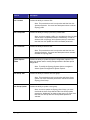
Element
Description
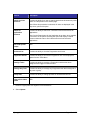
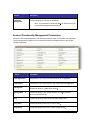
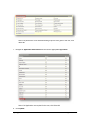
Application Names
Provides a complete listing of all applications that are defined in
iSynergy.
iS
Doc Le
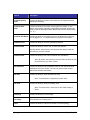
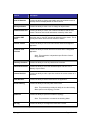
Level Permission Provides the ability to define security at the document level.
Note: Document Level Security is selectively defined for each
Application. Navigate to Admin>Applications. Select the
appropriate application and choose enabled document level
security when appropriate.
ILS Configuration
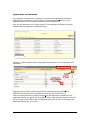
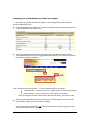
Index Level Security (ILS) provides the ability to secure specific Indexes
within each application to prevent certain individuals or groups from
viewing sensitive information or limiting their access unless they have
the required permissions.
For example, a sensitive HR Index field or Social Security Number might
require permissions before access or use is allowed.
Configuration
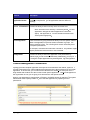
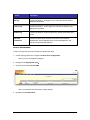
Provides the ability to define the application level permissions by
Cabinet, System and Account Functionality. Additionally, you may elect
to configure multiple applications by selecting Multi-App Configuration.
Cabinet Management Permissions
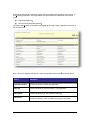
iSynergy provides complete application security that can be defined at the cabinet, system and
account functionality level. Cabinet Management permissions are the permissions for the overall
application. In other words, you can think of the cabinet as the drawer you would pull out in a
filing cabinet that contains all of the records for that specific application. Cabinet management is
the organization of how you are going to file documents in that specific drawer.
When a new Application is implemented in iSynergy, the default access is restricted. The system
administrator must explicitly enable access to the new Application by updating account
permissions.
iSynergy 3.11 Advanced User Manual
Page 155 of 257