1
RADIUS MANAGER
VERSION 4.0
ADMINISTRATION CONTROL PANEL (ACP)
Overview
The Administration Control Panel (ACP) is used by system administrators to set various system
parameters, manage NASs, users, IAS templates, services, generate prepaid cards etc.
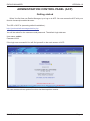
You can access the ACP using the following URL:
http://yourhost/radiusmanager/admin.php
Description of menu functions
System / Home
Navigate to home page.
System / System settings
On this screen You can define the global options used by both the administration interface (ACP) and
user interface (UCP).
• General settings:
Default system language – Select the default interface language. New languages can be added
by installing language definition files.
Disconnection method (NAS / remote) – Select a disconnection method to use:
1. NAS – This disconnection mode is supported by Chillispot (DD-WRT), Mikrotik and pfSense.
It has some drawbacks: it cannot control combined traffic accounting, daily quotas and special
accounting periods. If You want to use some of the listed features, switch the disconnection
mode to Remote.
2. Remote – Remote disconnection method is supported by Mikrotik, StarOS, Cisco and
Chillispot. It supports combined traffic accounting, daily quotas and special accounting
periods.
Remote disconnection method has some limitations (StarOS and Chillispot only). You have to
set Simultaneous-use = 1 for every user in Radius Manager ACP / Edit user. StarOS and
Chillispot disconnect users based on the username and not on IP address. If the same user
name has multiple online sessions, only one instance will be disconnected while others remain
online. Pay attention to this.
Remote disconnection method is also required if You want to disconnect prepaid users in proper
time who use services with special pricing periods enabled.
DMA Softlab LLC
Page 37