1
RADIUS MANAGER
VERSION 4.0
Services / List services / Edit service
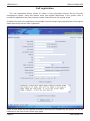
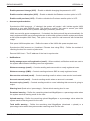
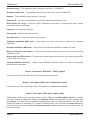
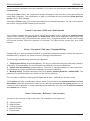
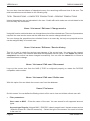
Use this option to edit a service.
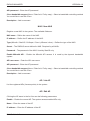
• Basic parameters:
Service name – Define the service name.
Enable – Select this checkbox to enable or disable the current service. Disabled services cannot
be assigned to users.
Available in UCP – Enable listing of service in UCP.
Type of service (prepaid regular / prepaid card or IAS / postpaid / email / access list entry) –
Define the service type. Prepaid regular services can be assigned to prepaid regular users
only. Prepaid card services or IAS services can be assigned to classic prepaid cards and
IAS templates only. Postpaid services can be assigned to postpaid users only. Email accounts
cannot log on to NAS, they can use their UNIX mailbox only. Access list entries are used with
Mikrotik and StarOS to allow specific CPE to connect.
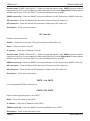
Limit download Bytes – Enable the capping of download traffic.
Limit upload Bytes – Enable the capping of upload traffic.
Limit total traffic – Enable the capping of total (download + upload) traffic.
Limit expiration – Enable the expiration date capping.
Limit online time – Enable the online time capping. You can create classic dial up services with
predefined available online time.
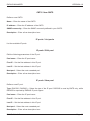
Set data rates (DL / UL) – Define the download and upload data rates in kbps (0 means no data
rate limitation is enabled).
Cisco policy map (DL) – Set the name of the download policy map defined in Cisco. Compatible
with Cisco policy map feature.
Cisco policy map (UL) – Set the name of the upload policy map defined in Cisco. Compatible
with Cisco policy map feature.
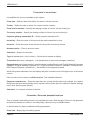
Download quota per day – Define the daily available download traffic in MegaBytes. Enter 0 if
You want to disable this feature.
Upload quota per day – Define the daily available upload traffic in MegaBytes. Enter 0 if You
want to disable this feature.
Total quota per day – Define the daily available total traffic in MegaBytes. Enter 0 if You want
to disable this feature.
Time quota per day – Define the daily available online time in HH:MM:SS format. Enter 0 if You
want to disable this feature.
Enable burst mode – Check this option if You want to use the burst mode.
DMA Softlab LLC
Page 49