1
Chapter 1
ES Machine Manager
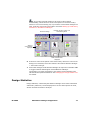
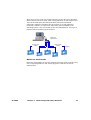
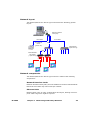
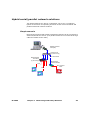
ES Machine Manager is a tool for controlling the workflow of multiple
embroidery machines. Its main tasks are to download designs to machines,
manage queues, monitor machine and job status, and collect productivity
and maintenance statistics.
ES Machine Manager is machine- rather than design-oriented. It is ideally
suited for use in larger embroidery factories where production managers
and supervisors must know exactly what many machines are doing and how
jobs are progressing.
You can also use ES Machine Manager to send designs to machines from
within ES Designer or Design Workflow, and then view and manage job
queues.
ES Machine Manager features
Depending on the options available in your software implementation, ES
Machine Manager allows you to:
! Download multiple designs to many machines
! Manage and view all design queues simultaneously in an embroidery
machine network
! Change the design queues by drag-and-drop and cut-and-paste — i.e.
move designs around in the queue or move designs to a different
machine. Designs can even be moved between different brands and
models of machine
! Delete one or more selected designs, or the entire design queue, using
Delete or Cut, or Delete Queue
! Drag-and-drop or cut-and-paste one or many designs from Windows
Explorer directly onto a ES Machine Manager queue
! Recall designs that were queued when ES Machine Manager was last
closed.
ES 2006
ES Machine Manager Supplement
1