1
DATA SHEET HuddleCamHD Camera Specifications
Pan/Tilt Movement
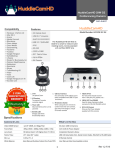
Rear Board Connectors
Pan Movement
0-355°
High Definition Interface
USB 3.0
Tilt Rotation
Up: 45°, Down: 45°
Controller Signal Interface
Mini DIN-8 (VISCA IN, VISCA OUT/RS485)
Controller Signal Config.
IDip-Switch Pin 7/TTL Signal
Baud Rate
9600 bds
Power Supply Interface
DC 12V 2A
Presets
64 Presets, 4 Patrol lines
Electrical Index
Physical
Power Supply Adapter
12V DC 2A
Material
Aluminum, Plastic
Input Voltage
12V DC (10.5-14V DC)
Dimensions
5.68”W x 5.63”H x 5.88”D (7” Height Ext)
Input Power
24W (Max)
(W x H x D) mm
144mm x 142mm x 149mm (177mm Height Ext)
Camera Weight
2.52 lbs (1.14 kg)
Box Dimensions
13.25”x9.25”x9.5” (336mm x 234mm x 241mm)
Boxed Weight
5.8 lbs | 2.63 kg
Temperature
32°F to + 113°F
Color
Silver Gray
Remote Contol
1. Reset
Restarts the camera
and restores it to Factory Default
settings. (Note: Will delete all memory).
2. Camera Selection
7. Power Supply Switch
Switch for turning camera on
(i.e. Stand-By mode vs. Working mode)
8. OSD Menu Zone
Dome OSD: Enter Pan Tilt Zoom OSD menu
Lens OSD: Enter lens OSD menu
Select Camera ID: 1, 2 or 3
3. Preset Positions
1-9: Preset Positions
Set: Setting Preset Position
Clear: Clear Preset Position
Call: Call Preset Position
Note: If you want to set (or call) the first
preset position to 1, you should press
number key “1”, then press
“Set” (or “Call”) to set (call) the position.
4. Fast Zoom in/out Control Zone
9. Slow Zoom In/Out Zone
+ : Zoom in slowly
- : Zoom out slowly
10. Focus Control Zone
Auto: Turn on auto focus
Manual: Turn on manual focus
Far: Set focus at farther distance
Near: Set focus at nearer distance
11. Pan/Tilt Function Zone
+ : Zoom in quickly
- : Zoom out quickly
L-Limit: Set left boundary limit scanning position
Scan: Enable Boundary Scanning (Auto Panning)
R-Limit: Set right boundary limit scanning position
Home: Go to camera’s Home position
Tour: Enable automatic patrol tour of presets
Rev: Enable image flip for ceiling mounting
5. Pan/Tilt Controller
Move Up
Move Down
Move Left
Move Right
Auto Pan
6. Additional Function Zone
Freeze: Image Freeze
BL: Back-light Compensation
WB: White Balance
AE: Auto Exposure
D Zoom: Digital Zoom
HDMI: Swap to HDMI video output
DVI: Swap to DVI video output
Format: Swap between different formats
152 Robbins Road
Downingtown, PA 19335
HuddleCamHD.com
2
Still have questions?
Give us a call.
800-486-5276