1
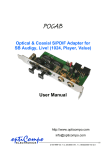
POAB optical S/PDIF adapter
User Manual
3
Selecting the output signal source
The POAB works basing on the digital signals interfaced by the SB Audigy/Live!
Please choose the SPDIF channel to be passed to the output by setting the jumper.
SPDIFO#0
SPDIFO#1
SPDIFO#2
SPDIFO#3
front stereo channel, LF+RF (signal
for 2 and 4 speaker mode)
center and subwoofer channel
mix of front and rear stereo channel
rear stereo channel, LR+RR
(only active in 4 speaker mode)
Default is SPDIFO#0.
Installing the POAB
1. Switch off your computer, remove the power supply cable and unscrew the
computer casing.
Make sure to avoid electrostatical chargings (caused by clothes, carpets etc.);
they can destroy electronic components.
!
2. Locate the sound card. The SBAudigy/Live! is a PCI card. In tower casings this
usually means that it is installed upside down.
In most cases you will have to remove the card to reach the used connectors.
3. Up to now there are two supported SBAudigy/Live! extension pin-outs. The
POAB ‘s module cable has got a multi-adapter for the different hardware releases.
The following pictures show how the small adapter is plugged to the
SB Audigy/Live! card. In most cases you have to remove the card to reach the
used connectors.