1
Preference Page
AUDIO
GENERAL
- - Preference Page - -
VIDEO
TV TYPE
AUDIO
SUBTITLE
DISC MENU
PARENTAL
PASSWORD
DEFAULT
NTSC
ENG
ENG
ENG
PREFERENCE
PAL
NTSC
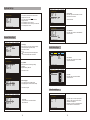
TV Type:
Enter this option to select TV type (PAL,NTSC)
The default is NTSC.
AUDIO
GENERAL
- - Preference Page - -
VIDEO
TV TYPE
AUDIO
SUBTITLE
DISC MENU
PARENTAL
PASSWORD
DEFAULT
NTSC
ENG
ENG
ENG
PREFERENCE
Enter this option, you can set a password
(four numbers).
All parental Control features are password
protected.
CHANGE
The default is 8888.
Change Password
Set TV Standard
AUDIO
GENERAL
- - Preference Page - -
VIDEO
TV TYPE
AUDIO
SUBTITLE
DISC MENU
PARENTAL
PASSWORD
DEFAULT
NTSC
ENG
ENG
ENG
PREFERENCE
ENGLISH
FRENCH
GERMAN
ITALIAN
Preferred Audio Language
AUDIO
GENERAL
- - Preference Page - -
VIDEO
TV TYPE
AUDIO
SUBTITLE
DISC MENU
PARENTAL
PASSWORD
DEFAULT
NTSC
ENG
ENG
ENG
PREFERENCE
ENGLISH
FRENCH
GERMAN
ITALIAN
OFF
Preferred Subtitle Language
AUDIO
GENERAL
- - Preference Page - -
VIDEO
TV TYPE
AUDIO
SUBTITLE
DISC MENU
PARENTAL
PASSWORD
DEFAULT
NTSC
ENG
ENG
ENG
Audio:
Enter this option, user can select preferred
audio language for DVDs.
The default is English.
Note
The audio language depend on the material
on each disc.
User can also change the audio language
durin g playback by pressing the Audio button.
AUDIO
GENERAL
- - Preference Page - -
VIDEO
TV TYPE
AUDIO
SUBTITLE
DISC MENU
PARENTAL
PASSWORD
DEFAULT
NTSC
ENG
ENG
ENG
PREFERENCE
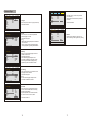
Default:
Select this item and press “OK” button to
reset all settings to the original factory setting.
RESET
Load Factory setting
Subtitle
Select your preferred language to show the
subtitles on the screen.
The default is English.
The subtitle languages depend on the
information available on each disc,You can
also change the subtitle language during
playback by press the SUBTITLE button.
PREFERENCE
ENGLISH
FRENCH
GERMAN
ITALIAN
OFF
Disc Menu
This function allows you to choose the menu
language stored on the disc.
The default is English.
Note:
the disc menu languages depend on the
information available on the disc.
Preferred Nenu Language
AUDIO
GENERAL
- - Preference Page - -
VIDEO
TV TYPE
AUDIO
SUBTITLE
DISC MENU
PARENTAL
PASSWORD
DEFAULT
NTSC
ENG
ENG
ENG
Set Parental Control
PREFERENCE
1 KD SAFE
2G
3 PG
4 PG 13
5 PGR
6R
7 Nc17
8 ADULT
Parental:
Enter this option to set the parental control
level to some unsuitable disc scenes being
watched by the children.
Optional parental control levels: KID SAFE,
G, PG, PG 13,PGR, R, Nc17, ADULT.
The default is ADULT.
16
17