1
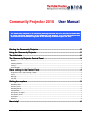
T he C o m m unity P ro jecto r C o ntro l P anel
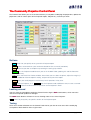
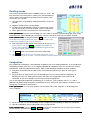
The C ontrolP anelallow s you to see and am end m any assum ptions underlying the projections, update the
projections, look at various parts of the P rojector report, and print any scenario you w ant.
Buttons
B lue buttons let you quickly see any part of the P rojector report
R eset buttons reset trends to a pre-set form ula based on C ensus trends (see below )
A lter buttons let you alter assum ptions by factoring the settings up or dow n.
U pdate runs the P rojector m odelfor each year set in the M ain Table, updating this and the Executive
S um m ary.
P rint opens the ExcelP rint P review w indow , from w here you can select the printer, adjust the m argins (if
needed to m ake the report fit neatly), and print allor part of the report.
Em ail opens your em ailprogram to m ake it easy to ask questions if they arise.
S ave saves the P rojector, as is. S aveA s saves the P rojector under a different nam e, to save a scenario.
C lose M enu closes the C ontrolP anelso you return to the P rojector in Excel.
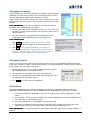
Looking around
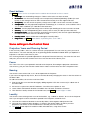
Y ou can m ove the spreadsheet under the C ontrolP anelusing the lo o k arrow buttons, w hich m ove the
view of the P rojector up/dow n or left/right
The zo o m arrow buttons w illzoom in or out, show ing m ore or less of the P rojector.
B lue buttons let you quickly see specific sections of the P rojector report
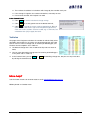
Tuning
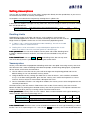
There are a num ber of buttons on the C ontrolP anelthat let you alter or reset som e of the underlying
assum ptions. M ore detailon these is given later.
C om m unity P rojector 2010
U ser M anual
page 3 of 8