1
Running ShiftCal
6.2
24
Mouse Commands
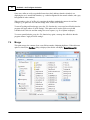
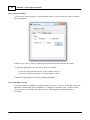
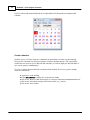
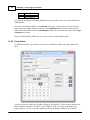
The user may navigate with the mouse using the "Today" button, the spin control in the calendar header,
and the mouse scroll button.
To select a date in the current month, click on it...
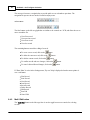
To return to the computer's current date, click on the
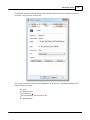
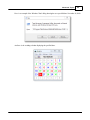
To display a pop-up annual calendar, click on the
button.
button or press <F3>. To close it, press <Esc>.
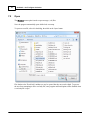
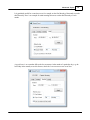
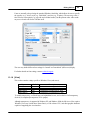
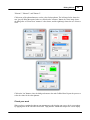
To step forward or backwards one month, click on the up or down button on the
control.
To step forward or backwards one year, click on the up or down button on the
control.
"month" (left) spin
"year" (right) spin
To repeat a spin control command, hold the mouse button down; the command will repeat slowly, then
gradually increase in speed. The rate of acceleration can be set in the .ini file.
6.3
Gesture Commands
ShiftCal supports gesture commands on touchscreen PC's running Windows 7; users of earlier
versions of Windows may emulate gesture support to a limited extent using the mouse or other pointing
device.
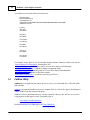
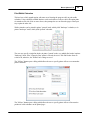
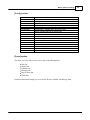
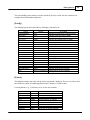
The following gesture commands are supported:
Next month
Previous month
Next year
Previous year
Return to current date
draw a horizontal line from right to left
draw a horizontal line from left to right
draw a chevron pointing towards the right
draw a chevron pointing towards the left
draw a circle on the screen
These commands can be emulated in all supported versions of Windows (2000, XP, Vista, and 7) using
a mouse or other pointing device by holding down the primary mouse button and moving the mouse as
described for touchscreen computers.
For example, to move to the next month, hold down the (left) mouse button and drag the mouse from
right to left, releasing the mouse button at the end of the stroke.
6.4
Handling Events (Messages)
Create a new event
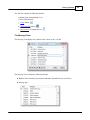
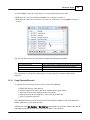
To create an event (e.g. message or appointment) when the calendar is displayed, the user may:
© 2012 T. Wesley Erickson