1
ORTEC ® Detective-EX/DX ®-100T Portable HPGe Spectrometer — User’s Manual
931040P / 1014
5.1.3.5. Back
If you do not want to apply the new calibration, tap Back to return to the Advanced Setup
dialog. (However, if you have run this background as the final step of calibration, remember that
you must run a new background before the Identify and Monitor Modes will function.)
5.1.4. Background
This command begins the background radiation measurement pre-configured with the Bkg
Settings command discussed in Section 5.2.2.
To measure the background:
! Remove all sources from the area.
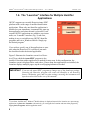
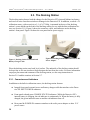
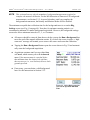
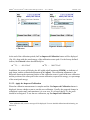
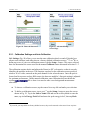
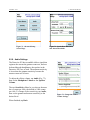
! Tapping the Run a Background button, at the end of the manual calibration routine,
opens the screen shown in Fig. 46 and automatically starts the background acquisition.
! Acquisition continues until you tap either Save or Cancel, which will return you to the
Advanced menu. If the measurement is canceled before the minimum time has elapsed,
the software does not accept (i.e., save and use) the new background spectrum. Instead, it
reverts to the existing back-ground file.13
5.1.5. List Nuclides (View Analysis Library)
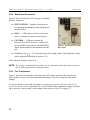
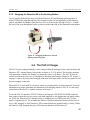
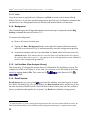
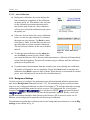
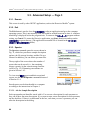
This screen (Fig. 47) displays the current library of radionuclide IDs and library version. The
complete list of IDs is in Chapter 4. If you wish, you can create a text file listing of the library
entries by tapping Save to File. This creates the file
in the Detective-EX’s
folder.
5.1.6. Recall Spectra
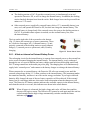
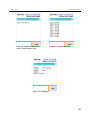
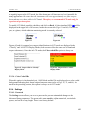
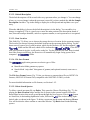
Recall Spectra lets you view stored
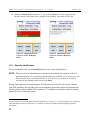
spectrum files and their associated reports. It opens
the Choose File dialog (Fig. 48), which displays the Data Location listbox and the list of spectra in the currently selected location. Select the desired data location, then use the scrollbar to
browse up and down through the list of spectra. Tap Back when finished viewing spectra.
13
As noted elsewhere, if you are running this background as the last step of the manual calibration routine, the
Identify and Monitor Modes will be disabled until the background measurement is completed and accepted.
52