1
OPERATION CONTINUED
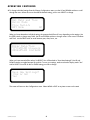
START A NEW BATCH (FLOW BASED OR AUTOMATIC MODE)
1. From the Main Menu enter the Start a New Batch menu using the select switch.
<
<Start New Batch
Playback Log
View Config Set
Change Config
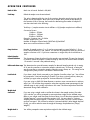
2. Using the UP switch select Auto and then use the SELECT switch to enter.
Auto or Manual?
(Auto or Manual)
Manual
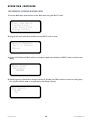
3. Use the UP, DOWN and FIELD switches to change the batch size and then the SELECT switch to enter the new
setting.
Batch size?
(Barrels):
500000
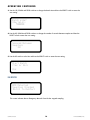
4. If the API gravity of the fluid has changed, use the UP, DOWN, and FIELD switches to set the new API gravity.
This will allow the flow meter to compensate for the change in density.
API Gravity
(10-90)
10
SCMANUAL 0313
12
KAM CONTROLS, INC.