1
200
NIDES Beta Release User Manual
Illegal yellow threshold value
The yellow (warning) threshold percentage value must be greater than the red (critical)
threshold percentage.
Invalid instance name
This is a NIDES internal error (see Section 6.11.12 on page 207).
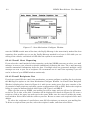
6.11.9.6 Profile Management Errors
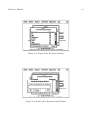
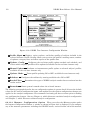
The following error conditions may occur while you are working with the Profile Management
window. Note that there are two profiles per subject: a current (short-term) profile and a historical
(long-term)profile; the error messages listed below are displayed if there are problems with either
one.
Duplicate profile
You have attempted to make a copy of a profile, but there is already a profile for the specified
subject. Use the Replace option to rename a profile, or specify a new subject name for the
profile copy.
Illegal character in entry
You have entered an illegal character in the name entry box. Subject names can contain only
alphanumerics, the hyphen (-) and the underscore (_) characters. Make sure you enter the
subject name properly.
Illegal restore request
You have attempted to restore either a newly created profile or a profile that is already in its
original state. The Restore option is to be used only to ‘undo’a previous Replace operation.
Use the Delete option to ‘undo’a copy or to remove a profile.
No profile name entered
Apparently you did not enter any subject name in the entry window provided, or the name
you entered had some invalid characters. Retype the subject name.
No profiles available in this instance
There were no profiles found for this instance, and hence there is nothing to manage in this
window. Make sure that audit records have been processed for this instance.
No such subject found
You have attempted to replace this profile with a non-existent profile. Make sure that you
enter a subject that is listed in the display.
Problems copying profile
There was a problem copying the selected profile for the subject you have specified. This
may have something to do with the permissions of the profiles or the profile directory for this
instance (must be writable by you). Check the permissions on the profile directory for your
selected instance.