1
Table of contents
1 Safety Precautions .............................................................................................. 5
1.1 Overview ........................................................................................................................................ 5
1.2 General safety precautions ............................................................................................................. 6
2 QMP 50 ............................................................................................................... 7
2.1 Intended use .................................................................................................................................. 7
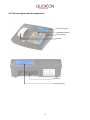
2.2 The cash register and its components .............................................................................................. 8
2.3 Technical data ................................................................................................................................ 9
2.4 Interfaces and connections ........................................................................................................... 10
3 Before you start ................................................................................................ 11
3.1 Setting up ..................................................................................................................................... 11
3.2 Installing a paper roll .................................................................................................................... 11
3.3 Switch ON / OFF ........................................................................................................................... 12
4 Overview........................................................................................................... 13
4.1 Naming convention ...................................................................................................................... 13
4.2 Operating modes .......................................................................................................................... 14
4.3 Names of Keys and their Function ................................................................................................. 14
5 Sign in and Register ........................................................................................... 16
5.1 Sign in a Clerk/Sales Person .......................................................................................................... 16
5.2 Register a Department .................................................................................................................. 16
5.3 Register Pre-Programmed PLUs ..................................................................................................... 16
5.4 Multiplication/Division ................................................................................................................. 16
5.5 Tendering in Local Currency .......................................................................................................... 17
5.6 Receipt copy ................................................................................................................................. 17
5.7 No Sale / Open Drawer ................................................................................................................. 17
6 Corrections........................................................................................................ 17
6.1 Clearing of Inputs and Error Messages ........................................................................................... 17
6.2 Error Correction ............................................................................................................................ 17
6.3 Void ......................................................................................................................................... 18
6.4 Refund ......................................................................................................................................... 18
7 Discounts, RA and PO ........................................................................................ 19
7.1 Percentage Discount/Surcharge .................................................................................................... 19
7.2 Amount Discount/Surcharge ......................................................................................................... 19
7.3 Received on Account / Paid Out .................................................................................................... 19
8 Reports 20
8.1 User Reports................................................................................................................................. 20
9 Programming .................................................................................................... 21
9.1 Programming of Date and Time..................................................................................................... 21
9.2 Adjusting the screen contrast ........................................................................................................ 21
3