1
Configuration of the BIOS
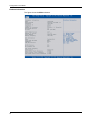
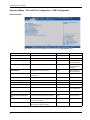
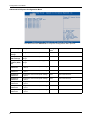
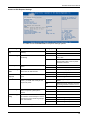
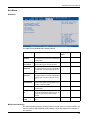
Advanced PCI Express Graphics (PEG) Port
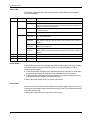
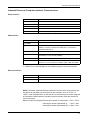
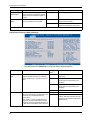
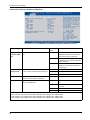
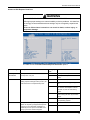
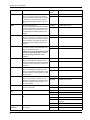
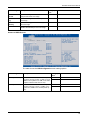
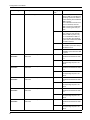
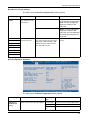
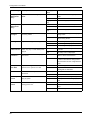
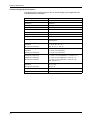
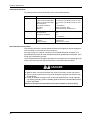
The table shows the Advanced PCI Express Graphics (PEG) Port options:
BIOS Setting
Description
Setting Options
Effect
PCI Express
Graphics (PEG)
Port
Option to set the PCI Express Graphics
port.
Disabled
Internal PEG interface devices are
disabled, and devices connected to
the PEG port are not detected.
Enabled
Internal PEG interface devices are
enabled even if no device is detected
on the PEG port.
Auto
Internal PEG interface devices are
disabled if no device is detected on
the PEG port.
1 x 16
Configuration with 1 x 16.
2x8
Configuration with 2 x 8.
1x8+2x4
Configuration with 1 x 8 and 2 x 4.
PEG Root Port
Configuration
Option to select the root port configuration
on the 16 PCIe channels of the PEG port.
PEG0
Displays the mode in which the device con- None
nected to the PEG0 port is operated.
–
PEG0 Speed
Option for setting the maximum transfer
rate for the PEG0 port.
Auto
The maximum transfer rate is selected.
Gen1
The maximum transfer rate is
2.5 GT/s.
Gen2
The maximum transfer rate is 5 GT/s.
Gen3
The maximum transfer rate is 8 GT/s.
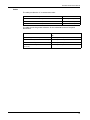
1) ASPM = Active State Power Management.
2) This setting is only possible when PEG0 ASPM is set to ASPM L0s or ASPM L0sL1.
3) This setting is only possible when PEG1 ASPM is set to ASPM L0s or ASPM L0sL1.
4) This setting is only possible when PEG2 ASPM is set to ASPM L0s or ASPM L0sL1.
88