1
2.2 Screen size
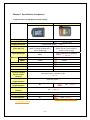
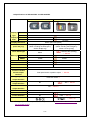
The screen size of GP-3310HT, which is 5.7 inches, is smaller than that of GP-2401HT (6.5
inches). However, its display resolution is same.
Displays of texts, parts, etc. become smaller after conversion. If they are too small to touch with
your finger, please use the provided touch pen.
2.3 Touch panel specifications
The GP3000H series units are analog resistive. An analog resistive touch panel does not
recognize the touch input when you touch two points at the same time. If you applied the
two-point touch input on the GP2000H unit, we recommend you change to the one-point touch
input using the switch delay function.
2.4 Vibration function
The GP3000H series doesn’t have the vibration function. Please aware of it when converting
project data. If you use the vibration function in the GP2000H series, change it to another
function as necessary.
2.5 Function switch
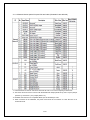
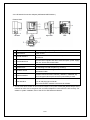
The GP-2401HT has 15 function switches. However, the GP-3310HT has only 11 switches, as
the GP3000H series is designed lightweight. Please aware of it when converting project data.
2.6 GP-H70 Compatibility Mode
The GP3000H series doesn’t have the GP-H70 Compatibility Mode. The operation switch and
the 3-Position Operation Switch on the rear operate in the GP2000H Mode.
For the details of the GP2000H Mode and the GP-H70 Compatibility Mode, refer to GP2000H
Series User Manual “3.3.3 2000H Mode / GP-H70 Compatibility Mode.”
2.7 Key switch
In case of setting up an external circuit (an emergency stop circuit) using the Key switch, the
GP3000H series allows you to remove it from the conversion adapter without stopping the
system.
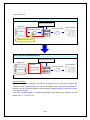
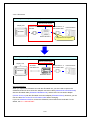
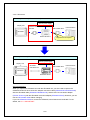
However, to use the Key switch, the GP3000H conversion adapter (AGP3000H-ADPCOM-01)
and the GP3000H cable with a connector (GP3000H-CBL*D-*M) are required. The Key switch
is disabled when the GP2000H conversion adapter (GP2000H-AP***) is used.
2.8 External output interface
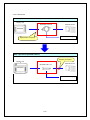
To use the DOUT, Operation Switch Output, or External Buzzer Output, the GP3000H
Conversion Adapter (AGP3000H-ADPCOM-01) is required. These interfaces are disabled when
the GP2000H conversion adapter (GP2000H-AP***) is used.
8/56