1
Background Information
2.
Background Information
As a starting point, all methods require an application to be created using the CodeWarrior development tools.
This application must be specifically targeted to operate correctly from the internal Flash. The Freescale
CodeWarrior Development tools includes information as well as code to aid in the development of the
application. It is highly recommended that a developer start with the appropriate Processor Expert (PE)
stationery. This will greatly facilitate the development of the application, and includes all the elements required
to create embedded applications targeting internal Flash or external memory. During development and debug
of the application, the CodeWarrior tool can be used to program the internal Flash and to debug the program
while running from Flash. Once the development and test are complete, the CodeWarrior tool can also be used
to generate the source file containing the executable image of the Program, Data and Boot Flash blocks. In this
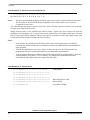
case, the source file is an S-record file. The S-record file contains the hex machine code and hex data
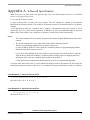
information formatted in a text file containing a series of S3-type S-records. Refer to Appendix A at the end
of this document for a detailed description of the format of the S-record file.
The CodeWarrior tool normally uses .elf files to store the application executable and to program the Flash
blocks in the devices. The user must specifically configure the CodeWarrior tool to create the S-record file.
Please refer to the CodeWarrior IDE Targeting DSP56800 Manual for information on how to turn on
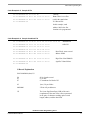
S-record generation. The CodeWarrior tool generates three separate types of S-record files:
•
output_filename.p.S contains the Program and Boot Flash image
•
output_filename.x.S contains the Data Flash image
•
output_filename.S contains the combined Program, Boot and Data Flash images
The S-record file is the source file used by all the methods of production Flash programming. The file to use
when performing Flash programming will generally be the combined file, containing the Program, Boot, and
Data Flash image.
2.1 Considerations for Choosing a Production Programming Method
A fundamental decision to be made is whether to initially program the devices after they have been soldered to
the circuit board, or to initially program the devices before they are placed onto the circuit board. Programming
with the Boot Flash Serial Bootloader, programming via the JTAG/OnCE port and the GPIO Flash
programming mode are primarily intended as in-circuit programing methods. The bulk device load method is
an out-of-circuit programming method, which allows programming the 56F8300 and 56F8100 devices in
advance of the production run.
An additional consideration is which Flash blocks are to be programmed. The 56F8300 and 56F8100 products
do not allow for software to run from a Flash block that is concurrently being erased and programmed. Because
all 56F8300 products have multiple Program Flash blocks, this is not a significant restriction, but does require
advance planning with the set-up of the Flash programming algorithms. For example, the Serial Bootloader is
programmed into the Boot Flash at the factory, and allows only for the programming of the Program and Data
Flash blocks because it restricts itself to only taking space in the Boot Flash. Therefore, it always runs from
Boot Flash and cannot reprogram any portion of the Boot Flash block. The Serial Bootloader can be used to
load all Flash blocks by implementing custom loader software that is loaded into the Program Flash, then used
to program the Boot Flash. By switching back and forth, all combinations of Flash programming can be
implemented. The Freescale Processor Expert for the 56F8300 and 56F8100 devices includes all software
components needed to write such an application.
Production Flash Programming, Rev. 1
2
Freescale Semiconductor