1
User Manual
CONTENTS
Chapter 1: DVR Features...................................................................................................................................................... 2
Chapter 2:Layoutt................................................................................................................................................................. 3
2.1 Front Panel ....................................................................................................................................................................... 3
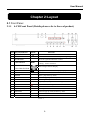
2.1.1 4-CH Front Panel (Details please refer to the real product).................................................................................... 3
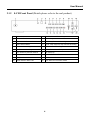
2.1.2 8-CH Front Panel (Details please refer to the real product).................................................................................... 4
2.2 Rear Panel......................................................................................................................................................................... 5
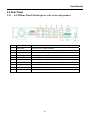
2.2.1 4-CH Rear Panel (Details please refer to the real product) ..................................................................................... 5
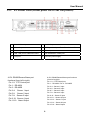
2.2.2 8-CH Rear Panel (Details please refer to the real product) ..................................................................................... 6
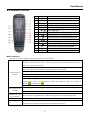
2.3 Remote Control ................................................................................................................................................................. 7
Chapter 3: DVR Installation ............................................................................................................................................... 8
3.1 Hard Drive Installation ..................................................................................................................................................... 8
3.2 Camera and Monitor Connection ..................................................................................................................................... 8
3.3 Power Supply connection .................................................................................................................................................. 8
Chapter 4: DVR Boot up ....................................................................................................................................................... 9
4.1 System Initialization .......................................................................................................................................................... 9
4.2 Main Interface................................................................................................................................................................... 9
Chapter 5: DVR Menu ............................................................................................................................................................ 9
5.1 Main Menu Preview ........................................................................................................................................................ 10
5.2 Main Menu ...................................................................................................................................................................... 10
5.2.1 Camera setup ....................................................................................................................................................... 11
5.2.2 Record setup......................................................................................................................................................... 11
5.2.3 Network Set........................................................................................................................................................... 12
5.2.4 Recording Search................................................................................................................................................. 14
5.2.5 Multi player ............................................................................................................................................................ 15
5.2.6 Device Management ............................................................................................................................................ 16
5.2.6.1 HDD Management............................................................................................................................................ 17
5.2.6.2 Alarm Set .......................................................................................................................................................... 17
Email Alarm Notification.............................................................................................................................................. 18
5.2.6.3 PTZ Setup ......................................................................................................................................................... 19
5.2.6.4 Mobile............................................................................................................................................................... 19
Mobile Phone Access.................................................................................................................................................... 19
5.2.6.5 Motion Detect ................................................................................................................................................... 23
5.2.7 System Function................................................................................................................................................... 23
5.2.7.1 Time Set ............................................................................................................................................................ 23
5.2.7.2 Password ........................................................................................................................................................... 24
5.2.7.3 Video Setup....................................................................................................................................................... 24