1
Catalyst XE User Guide
Contents
What is Catalyst? ............................................................................................................ 1
What You Need to Run It.......................................................................................... 2
About the Free Acrobat Reader ............................................................................... 2
This Manual .............................................................................................................. 3
1. The Home Page .................................................................................................................4
The Starting Place........................................................................................................... 4
2 The Left Frame ....................................................................................................................7
Folders, Shortcuts and Actions ................................................................................ 7
Folders Window .............................................................................................................. 7
Jump to Folder.......................................................................................................... 9
Show Only This Level............................................................................................. 10
Shortcuts ....................................................................................................................... 12
Actions .......................................................................................................................... 12
Logout ........................................................................................................................... 12
Help............................................................................................................................... 12
3. Tasks ................................................................................................................................13
Project Management .............................................................................................. 13
Create a New Task ....................................................................................................... 13
Describing the Task................................................................................................ 14
Assigning a Task to a Folder .................................................................................. 14
Task Lead and Working Team ............................................................................... 15
Other Fields ............................................................................................................ 16
Task Reminders ..................................................................................................... 16
Email Tasks ............................................................................................................ 16
Save and Close ...................................................................................................... 17
Viewing or Editing Task Details .................................................................................... 17
Marking a Task Complete ............................................................................................. 17
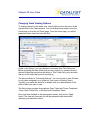
Changing Tasks Viewing Options ................................................................................. 19
Using the Full Screen Tasks View ................................................................................ 20
© Catalyst Repository Systems, Inc.
i