1
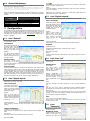
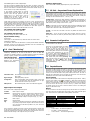
6.2 Status SMS Message Whenever command SMS contains valid password, SP6 always returns status SMS. Status SMS contains following information: <Device Name>: <DigInput1>=<DigInput1Status> <DigInput2>=<Dig Input2Status>...<DigOutput1>=<DigOutput1Status><DigOutput2>= <DigOutput1Status>...<GSM Signal Level> Status SMS message contains information only about selected inputs and outputs. Selection is done in configuration program SP Init by checking the appropriate checkbox. SP6 Status SMS Example Device SP6: Input1=on Input2=off Output1=on Signal=58% Explanation Device Name (user configurable) Logical Input 1 is on Logical Input 2 is off Logical Output 1 is on (closed) GSM Signal level in % For complete local and remote configuration and monitoring of device SP6 is used program SP Init. Configuration/monitoring can be local via USB cable or remote via GSM data connection (CSD). Note: The actual version of SP Init program can be downloaded free of charge from the website www.seapraha.cz (English pages Support GSM-SP6). Card “General” On this card, you can setup PIN code of SIM card, name of station, start-up device event and internal inputs. Initialization Enter 4 to 8 digit PIN code of the SIM card which is inserted in the SP6 device. (Leave PIN field free when usage of the PIN code on the SIM card is disabled) The “name station” identifies the SP6 device. This text is places at the begining of every sent SMS message. Special actions Use button “Actions after turning device on” to specify the text of SMS messages or voice calls which the SP6 device sends on startup (see chapter Inputs Events). Internal inputs The section “Internal Inputs“ is intended for SP6 BOX device only. Changes in this section will have no effect on other variants of SP6 devices. BOX variant contains two internal logical inputs. The first one is “BOX POWER WATCH” (PWB). This input is active whenever main power 230VAC for the BOX is functional. The second is “BATTERY LOW” (BAT), which is active as long as battery is OK. If the device has no main power and battery is near to discharge, this input goes to state inactive (L). Structure of this section is the same as for inputs on page “Digital Inputs”. 7.2 Actions (SMS or voice calls) to be done whenever the transition of input signal occurs. (see chapter „Inputs Events“). Negate In case this checkbox is checked, the meaning of state L (non active) and state H (active) are exchanged. Digital inputs are connected to terminal JP3 – Digital inputs. Digital input PW is connected to terminal JP5 – PWR WATCH. 7.3 Card “Digital Outputs” On this card, you can set up configuration for digital outputs of device SP6. 7. Configuration 7.1 Actions Card “Digital Inputs” On this card, you can set configuration of all digital inputs of SP6 device. (These inputs has only two states: YES – NO) Text in messages Input Name, State L, State H These fields contain names of inputs and and their possible states, which are listed in the status SMS message. Example: When we assign Input as input1, State L as off and State H as on, the part of SMS status message concerning input1 will look like this “input1=on”. Mention in state SMS Text in messages Output Name, State L, State H These fields contains names of outputs and their states, which are listed in the status SMS message and are used in command messages. Example: When we assign Output as output1, State L as off and State H as on, the part of SMS status message concerning output1 will look like this “output1=on”. Mention in state SMS If this checkbox is checked, the output is listed in SMS status message. Impulses Command to begin Command in command message, which begin pulse on output. Duration (h:m:s) Pulse duration on output. Negate If is this checkbox checked, meaning of state L (non active) and state H (active) is exchanged. 7.4 Card “User List” Device SP6 has one central user list. For any action a user is chosen from this central user list. Existing Users Phone number User phone number. This phone number is used for sending SMS messages or voice calls for this user. Attention: Authorization of incoming messages does not depend on the phone number. The phone number is used only for sending SMS (or voice call)! Name User name. This area is not used by SP6 device. It is for your better orientation in list. Code User code. This code is used for authorization incoming command messages. Received SMS are executed only if contains “code” of some user in your user list. Message prefix Text, which is added in front of SMS message for this user. It is used for sending messages e.g. at e-mail. This message is sending on special phone number (e.g. 4616) and first in message is e-mail address. Lists Users who get copy of all STATUS responses Choose users, to whom copy of status massage is sent whenever any status message is about to send. If this checkbox is checked, the status of this input is listed in the status SMS message. 7.5 Change notifications On this card are placed special advanced functions. Actions executed on transitions of the input and delays between transition and action. Numbered events Transition L=>H, Transition H=>L Delay (h:m:s) How long new state must be stable before action is executed. SP6 – User’s Manual Card “Advanced” “Numbered events” can change acting of digital inputs. The SP6 device can create a BUS 2