1
CONFIGURATION
Home Page
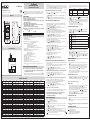
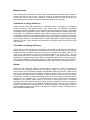
By the ignition the Genius Control CTRL-128 displays for a few seconds the home page
indicating the version of the installed software. (V.01.00).
Genius Ctrl-128 V.01.00
------------------------
Main Page
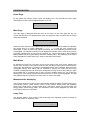
The main page is displayed when the menu is not active. On the main page the day, the
current date and time, the operative time cycle, any bypass or alarm condition and the output
status are displayed.
Dom 01/06/08
F-
12:25:05
Spento
When the power reserve of the internal clock is over, due to a continuous absence of feeding,
the current time is no longer displayed (--- --/--/-- --:--:--) and the clock functions are
deactivated. In order to restore the regular functioning, the clock regulation procedure needs
to be applied. The indicator of the time cycle displays the number of the current time cycle (ex.
F2) either indicates that no time cycle is operative (F-). The manual mode is also indicated
(Man) together with any bypass (BYP) and alarm condition (ALL). The displaying of the output
status indicates the output tension (ex. 205V) or the state of rest (OFF).
Main Menu
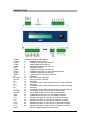
By pressing the knob you can enter from the main page to the main menu, allowing the
access to the functions of the Genius Control CTRL-128. By turning the knob all the functions
of the menu are displayed, by pushing it the selected function can be entered. When there are
changeable values, such values can be modified by pushing the knob; the item being
modified is highlighted and can be actually changed by turning the knob. By pushing it again
the modified item is confirmed and in case of further variable values you can access the
following one. The change process ends when there are no more values highlighted. The last
entry (BACK) allows to go back to the main menu or to the home page.
Measurements displaying
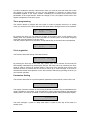
This function allows the access to the measurements displaying pages including: lighting (lx),
input tension (Vrms), output tension (Vrms), current (Arms), active power (W), apparent
power (VA), power factor, reactive power (VAr), total active power (W), saved power (W)
energy (kWh), saved energy (kWh). The illuminance value can be displayed only when the
probe Genius Sensor is connected.
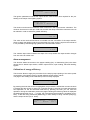
Lamp Test
This function allows a quick control of the functioning of the regulation system by setting up
the output tension on a specific value.
Uscita
Ctrl-128 Rev.1
210 V
6