1
1.0
GENERAL DESCRIPTION
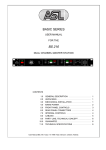
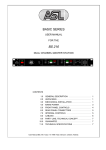
The PS 19 is a portable single channel user station.
It is housed in a strong ABS case and is provided with a
steel beltclip.
On the front panel are a Volume (listen level) control, a
Talk and a Call button with LED indicators, a sidetone
trimmer and a buzzer volume trimmer.
Special attention has been paid to the intelligibility of
speech. By applying low noise/high speed opamps, a
speech presence filter and a specially developed high
power bridged headphone amplifier, communication is
very comfortable even in environments with high
background noise level.
2.0
The unique ASL CALL system provides both a flashing
red LED and a very distinctive and characteristic sound
signal. Smooth operation is guaranteed with the CALL
button. A momentary push makes the red LED flash,
whilst holding the button for two seconds will activate the
CALL sound signal. The volume of the sound signal
(buzzer) can be adjusted at the front panel.
Fully electronic switching increases reliability and allows
for :
- 'soft' microphone ON switching, latched or momentary
- remote Mic Mute facility.
UNPACKING
The shipping carton contains the parts listed below
* The PS 19
* User manual
If any are missing, contact your dealer.
After unpacking the unit please inspect for any physical
damage to the unit, and retain the shipping carton and
relevant packing materials for use should the unit need
returning.
ASL has taken great care to ensure this product reaches
you in flawless condition.
If any damage has occured, please notify your dealer
immediately so that a written claim can be initiated.
Please also refer to the guarantee section of this manual.
3.0
INSTALLATION
This PS 19 will form part of an existing or new intercom
system, and connection to it is straightforward. There are
no separate power connections, or batteries to install, as
the necessary DC voltages are derived from the intercom
master station or power supply, via the intercom
connection cable.
To connect the PS 19 onto the intercom system, use
professional flexible microphone cable with 2 wires and 1
shield only. Connect the system intercom cable into the
LINE connector socket on the rear panel. Finally connect
the listening headset plug into the HEADSET connector,
also on the rear panel.
The PS 19 is fully protected against mis-wiring (reverse
power) or short-circuit in the interconnecting cables.
User Manual PS 19 / Issue 1 © 1994 ASL Intercom, Utrecht, Holland.
3